Repeat Recorder Icon

Repeat Recorder

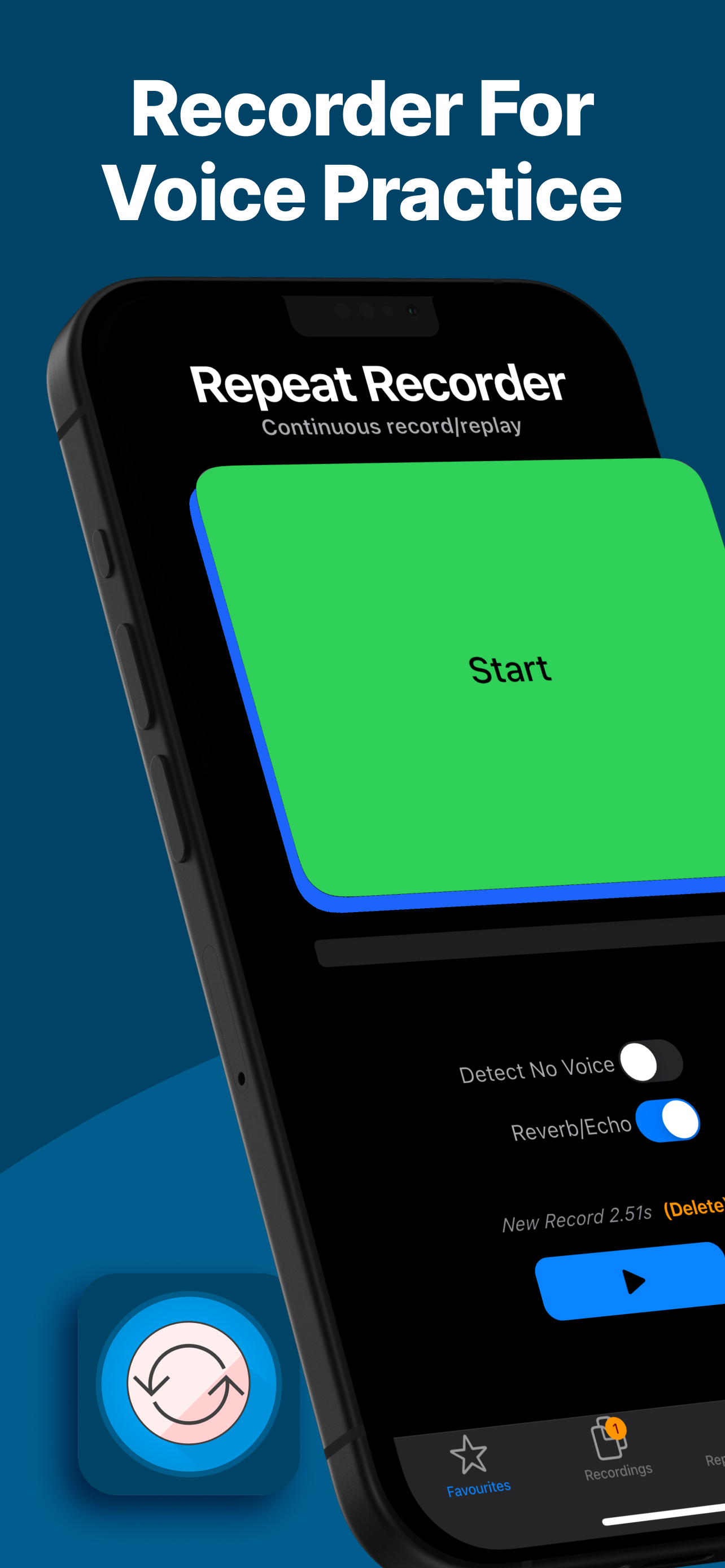
The Recording App for Voice Practice

★★★★★ ★★★★★ 4.7 out of 5 on the App Store, from 88 ratings worldwide

Practice your voice with continuous record and replay. Whether you're rehearsing a speech, learning a new language, or refining your vocal skills, Repeat Recorder is the perfect companion.

Three Ways to Practise

One loop: you speak, it replays, you speak again. You decide how it runs.

Manual mode

Tap to start, tap to stop, and your take plays straight back. Nothing happens on its own, so you keep exact control over every attempt. This is the mode for working through a script line by line.

Semi-automatic mode

Tap to start, then simply stop talking. Recording ends by itself once your voice drops below the threshold for as long as you set. You get a deliberate start without fumbling for the button to finish.

Automatic mode

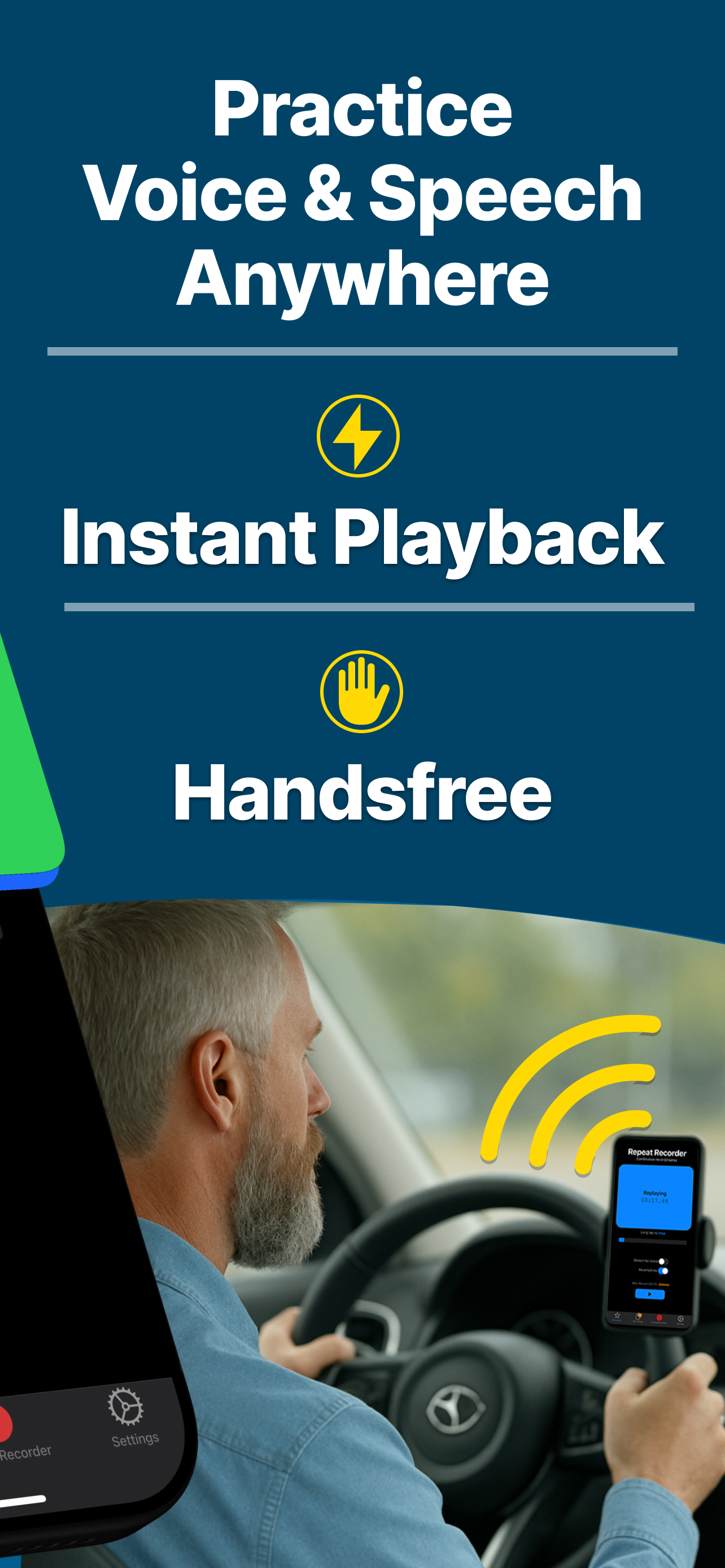
Speak and recording begins. Stop and it replays. You never touch the screen at all, which is what makes practice possible while you are driving, walking, or busy with your hands.

Every mode ends in the same place: your own voice, played back a second after you said it. That gap is the whole point. Most recording apps make you stop, hunt for the file, and press play, and by then you have forgotten what you were trying to fix. Repeat Recorder removes the dead time between speaking and listening, so you can hear the problem while it is still fresh and correct it on the very next attempt.

Key Features

Everything you need for effective voice practice

Record-Replay Loop

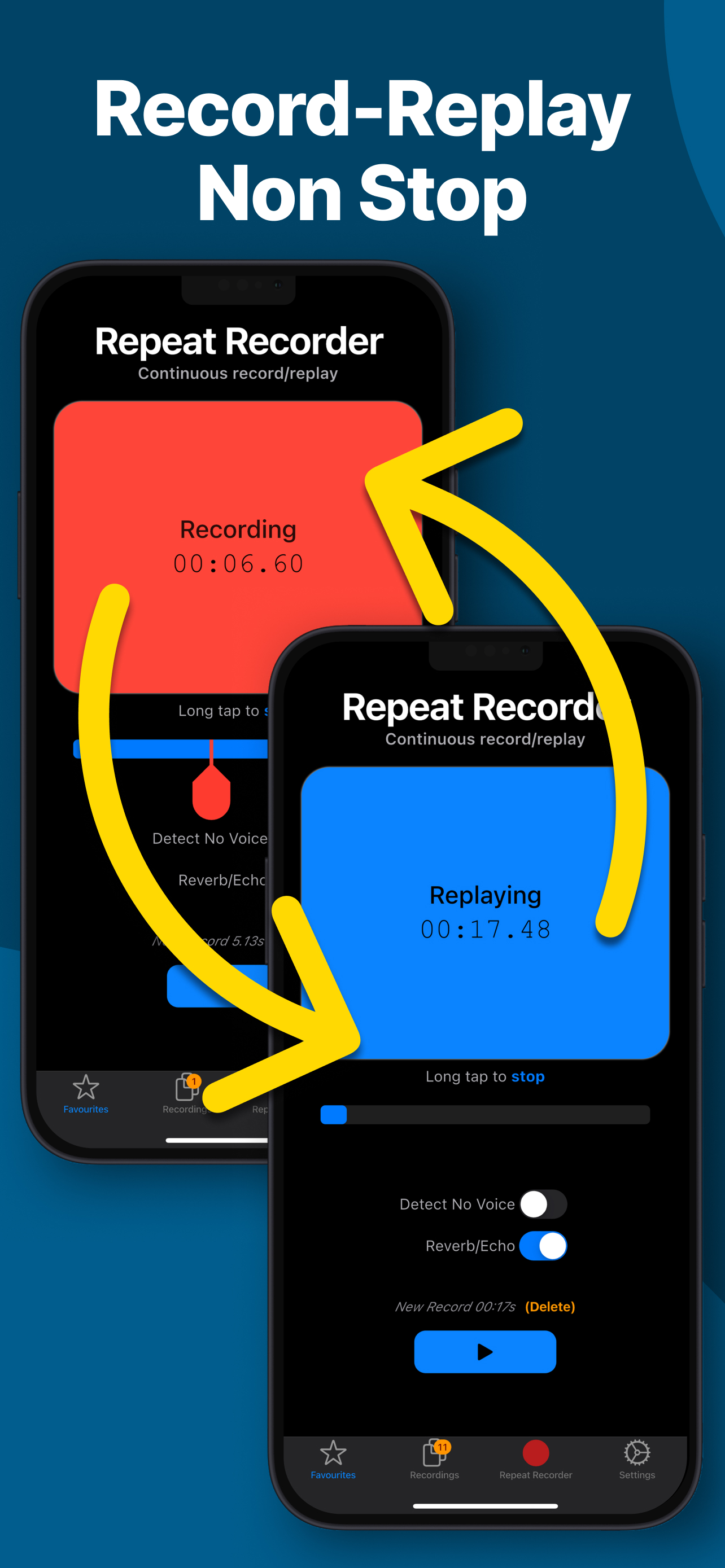
Unique non-stop recording feature allows you to continuously record and replay your voice, ideal for repetitive practice sessions.

Hands-Free Operation

Practice while driving, exercising, or multitasking with convenient hands-free controls that keep you safe and focused.

Reverb Effects

Enhance your practice sessions with customizable reverb effects, simulating different environments to improve your vocal performance.

Organise Favourites in Folders

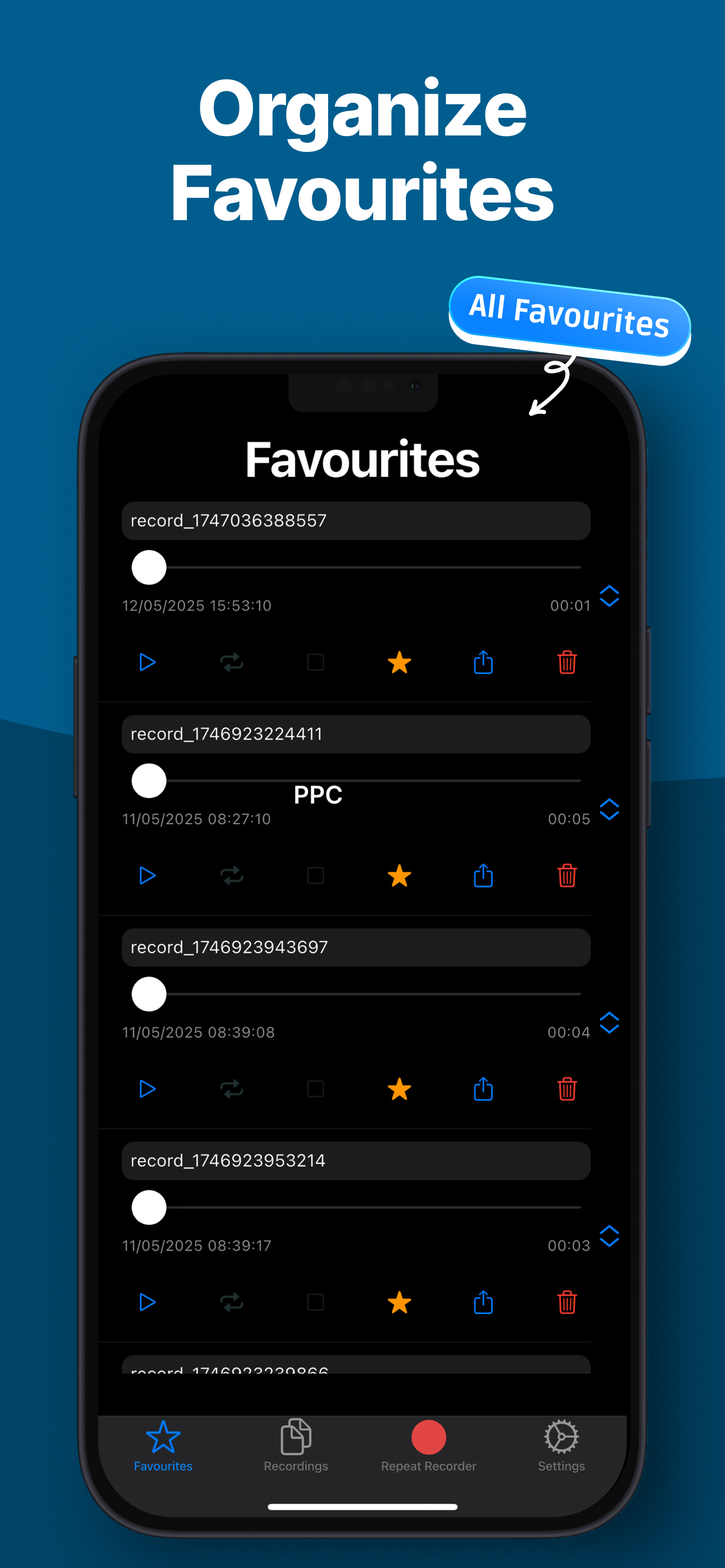
Keep the takes worth returning to. Save them to favourites, group them into folders you name yourself, and reorder them by dragging, so a phrase you are drilling this week is always one tap away.

Replay As Often As You Need

Hear each take back once, a set number of times, or on a loop that runs forever until you stop it. Difficult phrases rarely stick on the first listen, and repetition is exactly how they start to.

Countdowns and Pauses

Add a countdown before recording starts and a gap before playback begins, so you have a breath to get ready instead of racing the app. Set both to whatever suits your pace, or turn them off.

Choose Your Microphone

Connect headphones or a Bluetooth headset and the app asks which microphone you want to record with, rather than guessing. Your phone's own mic is often the better one, and now that is your call.

Tuned to Your Session

Keep the screen awake so a long session never locks mid-take, cap recordings at a time limit, discard takes shorter than a length you choose, and adjust or silence the chimes between steps.

Who Uses Repeat Recorder

Different goals, the same loop

Language learners

Shadowing is one of the most effective ways to build an accent, and it depends on hearing yourself immediately after you speak. Record a tricky phrase, listen back, and repeat it until your version and the one in your head match. Because automatic mode needs no tapping, you can drill vocabulary on a commute or a walk instead of setting aside a desk session for it.

Public speakers

Rehearsing a keynote in your head hides the filler words, the rushed transitions, and the sentence you never quite finish. Hearing a passage back straight away makes them obvious. Run a section, listen, adjust the pacing, and go again until the delivery sounds like you meant it rather than like you memorised it.

Singers and voice-over artists

Your voice is the instrument, and it is the one thing you cannot hear properly while you are using it. Run warm-ups, check pitch and projection, and use the reverb to get a sense of how a line would sit in a room with some space in it rather than against the flat walls of wherever you happen to be practising.

Actors and students

Read a line, hear it back, and try the reading again with a different weight on a different word. Save the takes you like into a folder for the scene you are working on. The same loop works for rehearsing a presentation the night before, or for anyone who has been told they speak too quickly and wants to hear it for themselves.

See It in Action

Designed for simplicity and ease of use

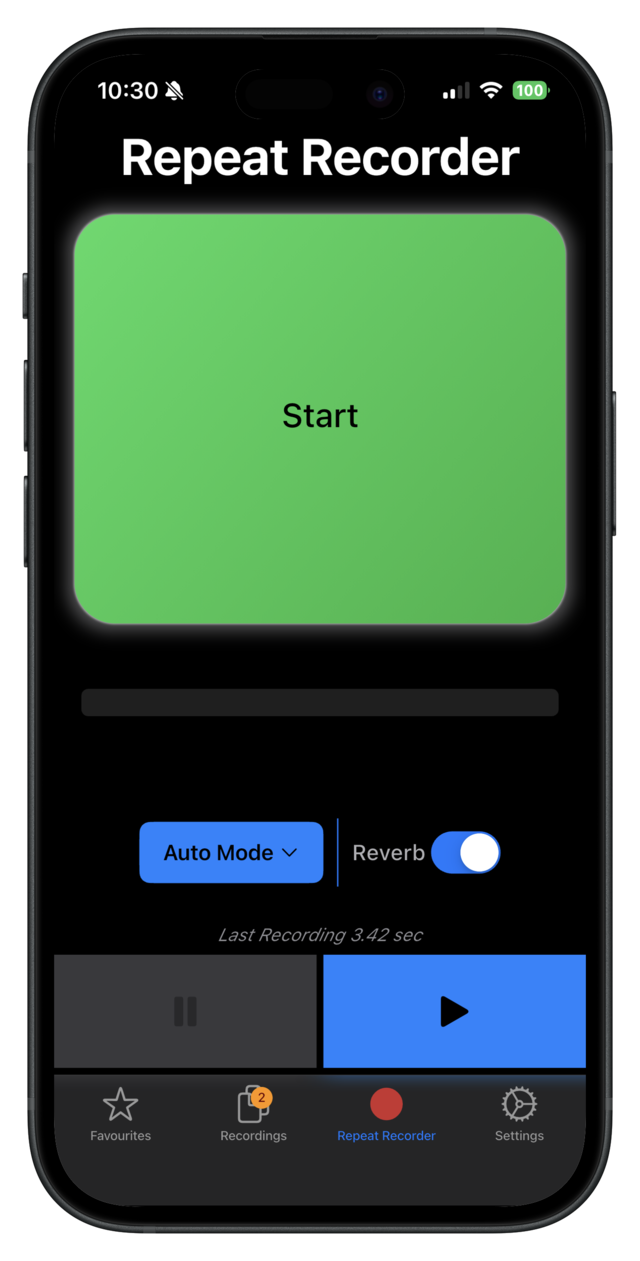
Repeat Recorder - Start Screen
Repeat Recorder - Handsfree Practice
Repeat Recorder - Record Replay Loop
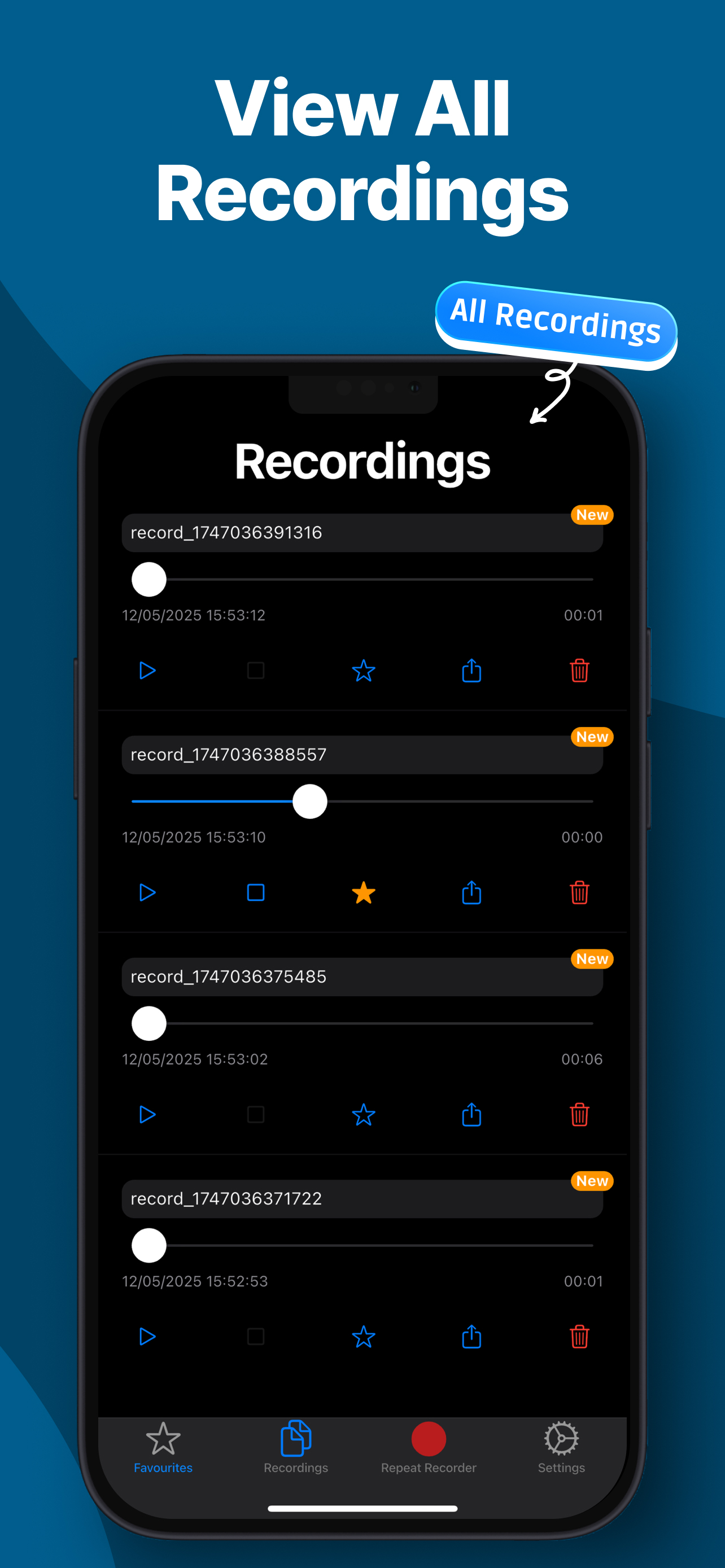
Repeat Recorder - All Recordings
Repeat Recorder - Organize Favourites

Common Questions

How is this different from the voice recorder already on my phone?

A normal voice recorder is built to capture something once and keep it. You record, stop, find the file, and press play, and every one of those steps puts distance between the moment you spoke and the moment you hear it. Repeat Recorder is built for the opposite job. It assumes you are going to say the same thing twenty times, and it takes the stopping, finding, and playing out of the way so that all that is left is speak, listen, speak again.

Can I really practise without touching my phone?

Yes, that is what automatic mode is for. Recording starts when you begin speaking and stops when you stop, so a whole session can run without a single tap. It is the reason people use it while driving, walking, exercising, or doing the dishes. You can also keep the screen awake so a long session never locks partway through a take.

How many times will it replay what I said?

As many as you want. Set playback to run once, to repeat a specific number of times, or to loop forever until you stop it. You can also add a countdown before recording and a pause before playback, so there is room to breathe between attempts rather than a scramble to keep up.

Is Repeat Recorder free?

It is free to download and comes with a trial so you can decide whether the loop suits how you practise. After the trial, some features are unlocked by watching a short ad, or you can buy Pro with a single one-time payment that removes the ads and unlocks sharing. There is no subscription, and there never will be: you pay once, or not at all.

Can I use headphones or a Bluetooth microphone?

Yes. When you connect headphones or a Bluetooth headset, the app asks whether you want to record with that device's microphone or stay on your phone's. Phone microphones are often the better of the two, so rather than switching silently and leaving you wondering why a take sounds thin, it lets you choose.

What languages does the app support?

The app itself is available in English, French, Japanese, Korean, Arabic, and Simplified Chinese. You can practise in any language you like, of course. Repeat Recorder plays back whatever you say, so it never needs to understand the words to be useful.

What does the reverb do?

It adds a sense of space to your playback, so a line sounds closer to how it would in a room with some size to it instead of wherever you are standing. Singers and speakers use it to get a more realistic preview of a performance. The amount is adjustable, and you can leave it off entirely.

Repeat Recorder Icon

Download Repeat Recorder

Available on iOS and Android