
Ordinary search is being eaten by AI answers. Local search is not, and the gap between the two is now measurable. This page is the 2026 answer to one question: what actually puts a business in the three map results at the top of Google, and in the Google Maps app itself.
The short version. Your Google Business Profile is 32% of what decides the three map results, the single biggest thing inside it is the primary category dropdown, and distance from the person searching decides most of the rest.

Keep doing local SEO, because Google puts an AI Overview on only 15% of local searches
Google now writes its own answer at the top of some results pages, above the blue links and above the map. That block is called an AI Overview. It is not the same thing as asking ChatGPT, which is a separate app with its own sources. Whitespark ran 540 real searches on Google in Houston, Phoenix and Denver across plumbers, injury lawyers, dentists, optometrists, medical clinics and real estate agents, and counted how often that block appeared.
- Google showed an AI Overview on 15% of searches looking for a nearby business, and showed the three map results on 93% of them.
- Google showed an AI Overview on 92% of searches asking a question, and showed the three map results on only 6% of them.
- AI has taken the searches that ask things and left the searches that buy things, which is why local search is still worth the work.

Learn the three things Google measures, which are relevance, distance and how well known you are
Google publishes the whole model in its own help pages, and every tactic further down this article is a way of pushing one of these three numbers.
- Relevance is how well your business listing matches the words somebody typed, and your business category is the biggest part of it.
- Distance is how far your verified address sits from the person searching, measured from the pin on the map rather than from your suburb.
- How well known your business is, which Google calls "prominence", is built mainly from your review count, your star rating and the number of websites that link to you.
You can move relevance in an afternoon, how well known you are over months, and distance almost never. That is why a weak business that is close usually beats a strong business that is far, and why most local SEO advice fails outside its own street.

Fix your Google Business Profile for local SEO first, it is 32% of what decides the map results
The 2026 Local Search Ranking Factors survey asked around 50 local SEO specialists to score 187 possible ranking factors, then grouped them. A ranking factor is one thing that can move a business up or down in local search, such as your business category, your opening hours or the words on your website, and the survey scored 187 of them. Each percentage below is a share of the decision, meaning how much of Google's choice that group accounts for, and none of them is a share of the space on the page.
- Your Google Business Profile is 32% of what decides the three map results, the largest single group.
- Your reviews are 20% of what decides the map results, up from 16% in the same survey in 2023.
- Your website is 15% of what decides the map results, down from 19% in 2023.
- Links to your website are 8% of what decides the map results, and directory listings such as Yellow Pages are 6%.
- Spending a month on your website before you have filled in your Google Business Profile is spending it on the third biggest lever.

Set your primary Google Business Profile category first, it is the biggest thing you can change
Out of the 187 ranking factors the specialists scored, the primary category on your Google Business Profile came first, ahead of even distance from the searcher.
- Choose the category that names exactly what you sell, so a shop selling kebabs picks "Kebab shop" rather than "Restaurant".
- A broad category makes you compete with every restaurant in the city instead of every kebab shop in your suburb.
- Search Google Maps for the exact words you want to rank for, then look at what the top three businesses have set as their category.
- Changing the primary category usually moves your position within a few days, and it costs nothing.
- Google will not let you invent a category, so pick the closest one on the list rather than the one you wish existed.

Add three or four extra Google Business Profile categories, worth 1.7 places on Google Maps
BrightLocal measured 1,050 business locations across seven trades, checking each one from 49 different map points 500 metres apart, and counted how the extra categories lined up with position.
- Businesses with no extra categories averaged position 7.6 on Google Maps.
- Businesses with one extra category averaged position 6.4 on Google Maps.
- Businesses with two extra categories averaged position 6.0 on Google Maps.
- Businesses with three or four extra categories averaged position 5.9, which is 1.7 places better than having none.
- The gain from extra categories stops at about four, so adding twenty irrelevant ones buys nothing and confuses what you sell.
- Every extra category must be something you genuinely do, because Google removes listings that claim trades they do not perform.

Show a real street address and drag your map pin onto your own front door
Google lets a business hide its address and show a service area instead. That setting is designed for plumbers and mobile mechanics, and it costs you rankings.
- Showing an address instead of hiding it is the 7th strongest of the 187 ranking factors.
- Having a street address inside the city somebody searched for is the 4th strongest of the 187 ranking factors.
- Where your map pin sits is the 10th strongest, and Google measures distance from that pin rather than from your suburb name.
- Open your listing in Google Maps and check the pin is on your door, because Google often drops it in the middle of the block or on the road behind you.
- Hiding your address is the only honest option if customers cannot visit you, and putting a fake address on the profile risks the whole listing being suspended.
- A business that hides its address competes on reviews, links and website pages instead, because it has given up the two strongest things Google uses to measure distance.

Set your opening hours correctly, being open when someone searches is the 5th strongest factor
This is the biggest change in the 2026 survey. Having correct hours on the profile climbed 64 places since the previous survey, and being open at the moment of the search entered the top five outright.
- Being open at the time somebody searches is the 5th strongest of the 187 ranking factors.
- Having correct hours set on the profile moved from 85th place in 2023 to 21st place in 2026.
- A business with blank hours is treated as closed, so it disappears from the map results for the whole day.
- Set your public holiday hours in advance, because Google shows a warning on your listing when a holiday is coming and the hours are unconfirmed.
- Opening one hour earlier than the shop next door wins you every search made in that hour, and that is the honest way to use this factor.
Publishing hours you do not keep looks like the shortcut and it is the wrong trade. Google has warned against manipulating hours and now rings businesses to check them, and a customer who calls at 9pm and gets nobody leaves a one star review. Your reviews are 20% of what decides the map results, so you would be buying the 5th strongest factor with the 6th and the 9th.

Never add keywords to your real business name, because Google strips them or suspends you
Keywords in the business title are the 3rd strongest ranking factor, which is why so many listings are called things like "Best Emergency Plumber Perth 24 Hour". Your real business name is the one on your sign, your van, your invoices and your registration. Google only checks the listing against that name, so a real name full of keywords is fine and an invented one is not.
- If your registered business name genuinely contains the words, such as "Perth Kebab House", you keep every bit of the benefit and break no rule.
- Sterling Sky added the words "Salad Bar" to a restaurant that had no salad bar, and it started ranking for "salad bar" searches within hours.
- Sterling Sky then removed the words and the ranking fell back to where it started, and re-added them a week later and it climbed again.
- When Google stripped keywords from a competing rehab clinic's name, that clinic fell from position 1 to position 7 in two days.
- Google's rules say the name on the listing must be the name your business really trades under, and Google edits or suspends the listings that break that rule.
- A suspended listing disappears from Google Maps entirely and takes weeks to get back, so the trade is a few weeks of ranking against months of nothing.

Compare the Google Maps ranking factors that move your position against the ones that do not
Every row below is scored in the 2026 survey of the 187 ranking factors. The rank is the factor's own position in that list, so 1st is the strongest thing anybody measured and 187th is the weakest.
| What you change | Where it ranks among the 187 factors | How fast it moves your position | What it costs you |
|---|---|---|---|
| Your primary business category | 1st, the strongest of all | Days | Nothing |
| Your distance from the person searching | 2nd | Never, unless you move premises | The price of new premises |
| Keywords inside your business name | 3rd | Hours | Your whole listing, if Google catches it |
| A street address in the city being searched | 4th | Weeks | The price of new premises |
| Being open at the moment of the search | 5th | Immediately | Longer staffed hours |
| A star rating of 4.0 or better | 6th | Months | Nothing |
| Showing your address rather than hiding it | 7th | Days | Nothing |
| Extra business categories on the profile | 8th | Days | Nothing |
| How many Google reviews you have | 9th | Months | Time asking every customer |
| Where your map pin sits | 10th | Days | Nothing |
| How recent your newest reviews are | 11th | Weeks | Time asking every customer |
| Matching your website details to your profile | 15th | Weeks | Nothing |
| Filling in the services list on your profile | 22nd | Weeks | Nothing |
| Calls, clicks and direction taps on your listing | 34th | Months | Better photos and a better offer |
| Keywords inside your listed products | 90th | Months | Time loading products |
| Writing Google Posts every week | 148th | No measured effect | An hour of your week, forever |
| Your business description on the profile | 171st | No measured effect | Nothing |
| Keywords in your replies to reviews | 182nd | No measured effect | Time writing awkward replies |
| Uploading photos tagged with their location | 187th, the weakest of all | No measured effect | Software you do not need |
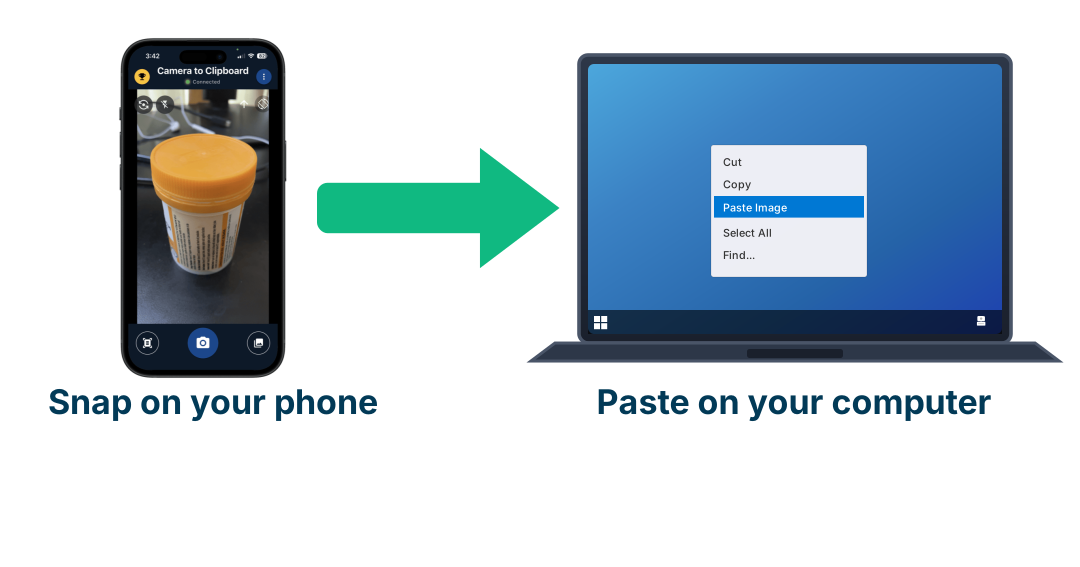
Use Camera to Clipboard to get shop photos onto your Google Business Profile
A Google Business Profile wants real photos of the shop, the staff and the food, and those photos start on a phone while the profile is being edited on a computer. Camera to Clipboard, one of my own apps, moves the picture across without email.
- A photo you take on your phone pastes straight into whatever is open on your computer, so it lands in the profile editor in one step.
- Pairing Camera to Clipboard is a one-time QR code scan, so there is no account to create and no folder to sync.
- Camera to Clipboard also runs on Windows, so the computer holding your profile does not have to be a Mac.

Ask for a review every week, because 74% of customers only read reviews from the last 3 months
BrightLocal surveyed 1,002 adults in February 2026 and asked how old a review can be before they stop counting it. The answer got much harsher in one year.
- 74% of people said they only consider reviews written in the last 3 months.
- 32% said they only consider reviews written in the last 2 weeks, up from 20% a year earlier.
- 18% said they only consider reviews written in the last week.
- How recent your reviews are is the 11th strongest ranking factor, and a steady flow of them over time is the 14th.
- 200 reviews that all arrived two years ago now count for less than 40 reviews that arrive at one a week.
- 78% of people had been asked to write a review, and 83% of those asked went on to write one, so asking is almost the whole job.

Get past 20 reviews and 4 stars, because 47% of customers reject anything below 20 reviews
Ranking in the map results and being chosen from the map results are two different problems. The same 2026 survey of 1,002 adults measured the second one.
- 97% of people read reviews before choosing a local business.
- 47% will not use a business that has fewer than 20 reviews.
- 68% will not use a business rated below 4 stars, up from 55% a year earlier.
- 31% will not use a business rated below 4.5 stars, up from 17% a year earlier.
- A star rating between 4 and 5 is the 6th strongest ranking factor, and the number of Google reviews you have is the 9th.
- Google reviews are the only reviews that count for the map results, so a wall of five-star reviews on Facebook moves nothing.

Reply to every review, because 80% of customers prefer a business that answers all of them
Replying does very little for the ranking itself and a great deal for whether the person who read the reviews picks you.
- 89% of people expect a business owner to reply to reviews.
- 80% are more likely to use a business that replies to every review.
- 42% are unlikely to use a business that ignores its reviews completely.
- 19% now expect a reply on the same day, up from 6% a year earlier.
- 50% dislike a reply that is obviously a template, so writing the same sentence under every review works against you.
- Putting search keywords into your replies is the 182nd strongest factor out of 187, so reply like a person and not like a machine.
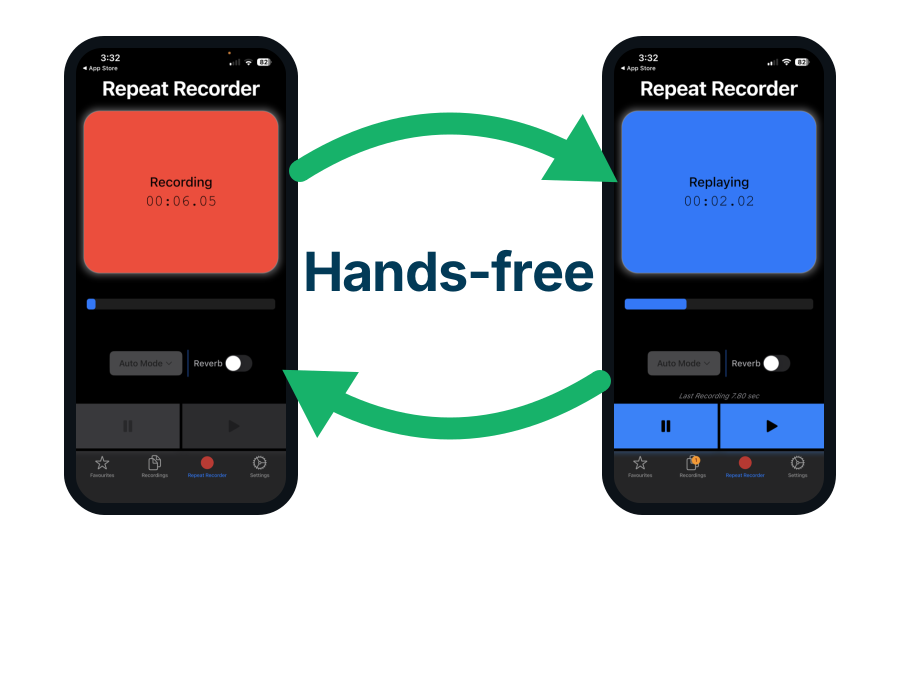
Use Repeat Recorder to practise the sentence you say when you ask for a review
78% of customers who get asked for a review write one, so the sentence you say at the counter is worth rehearsing. Repeat Recorder, another of my own apps, records you and plays it straight back so you can hear how the ask lands.
- Repeat Recorder plays your own voice back about a second after you stop speaking, so you hear the awkward part while you still remember saying it.
- Automatic mode starts when you speak and replays when you stop, so you can drill the same sentence while driving without touching the screen.
- Saving a take to a named folder keeps the wording that worked, which matters when you are training staff to ask the same way.

Accept that distance decides most of your ranking, and choose your address knowing that
Distance from the person searching is the 2nd strongest factor and the one nobody can change. It is also the reason a business owner sees themselves at position 1 and a customer two suburbs away sees nothing.
- Google measures distance from your verified map pin to the person searching, so your ranking is different on every street.
- Reviews, links and a good website widen the area of the map you rank inside, and they never remove the distance penalty completely.
- A second physical premises is the only honest way to rank in a second suburb, and Google's written rule is that it carries its own permanent sign and its own staff during its stated hours.
- Renting a mailbox or a virtual office is the version competitors report most often, because the map then shows several unrelated businesses sitting at one address.
- Choosing premises inside the suburb your customers search for is a marketing decision, not just a rent decision.

Run your business from home, because your hidden address is still what decides where you rank
Google supports this, and the rule is about what you display rather than where you work.
- Google keeps your verified address on its back end and measures distance from it even while the public cannot see it, so a hidden home address is still your ranking location.
- Where you live therefore decides where you rank, so a plumber living in Belmont ranks best around Belmont and fades a few suburbs away.
- The service areas you list change nothing in the ranking, because they exist only to tell a customer where you are willing to travel.
- Google's guidelines use a plumber at a residential address as their own example, so a home business is allowed and simply must not display the address.
- Showing a home address on a profile customers cannot visit is the violation that gets profiles suspended, while a yard or depot with a permanent sign and staff on site can show its address.
- Sterling Sky hid the address on a live home services business and its map results vanished for its main searches, then came back when the address was restored.

Accept one Google listing per place customers can visit, and one only if they cannot visit any
Google does not allow two addresses on one Google Business Profile. Two rules follow from that, and mixing them up is the commonest mistake here. A business with places customers can visit gets one listing for each of those places, which is why McDonald's holds thousands of listings rather than one. A business with no place customers can visit has none to count, so it gets exactly one listing however many addresses it has.
- A Google Business Profile has one address field and no second slot, so no business of any kind can put two addresses on one listing.
- A shop, a clinic or a restaurant gets one listing for each branch customers walk into, so a chain legitimately holds hundreds of listings.
- A plumber, a mobile mechanic or anyone else customers never visit gets one listing in total, because there is no place to count.
- Two genuinely different businesses can also hold two listings, and Google requires each to have its own name, its own phone number, its own category and its own visible sign at the address.
- A soft suspension makes the listing unverified, a hard suspension deletes it and every review on it, and an account restriction freezes every listing tied to that Google account.
- Google removed 7 million fake listings in 2021 and now runs automatic detection across Maps, so a repeated address or phone number is found without anybody reporting it.

Open a real second shop to reach a second suburb, and expect it to start with zero reviews
Opening premises in five suburbs to get five listings looks like the fast way to cover a city. It is the only way into the map results for those suburbs, and it is the slowest and most expensive route on this page.
- A real second premises is the only way into the three map results for a second suburb, because Google ranks the map results by distance from a verified address.
- Google's rule is that the premises has its own permanent sign, its own staff during the hours you publish, its own customer entrance, and customers who can walk in.
- A virtual office, meaning a mailing address you do not actually work from, is not eligible for a Google Business Profile at all.
- A desk in a coworking space qualifies only if it meets every one of those rules, and Google suspends coworking listings faster than any other kind.
- Reviews belong to one listing and never transfer between them, so a new branch opens with zero reviews while reviews are 20% of what decides the map results.
- That makes a second premises the slowest and dearest way into a new suburb, and the only one Google permits.

Know the three tests a second address must pass, which your own home listing never faces
Your own home listing never faces the tests below, because it hides its address. Google only checks that you really run the business, and for a service business that video means opening your work van or showing the tools you use. The three tests below apply to an address you want Google to display, and displaying an address is what a second listing means.
- Test one is a permanent sign carrying your business name fixed at that address, which is the thing video verification actually films.
- Test two is your own staff being at that address during the hours you publish on the listing.
- Test three is customers being able to come to that address during those same hours.
A house fails all three, whether you own it or your employee lives in it. That is the whole difference between the one listing you are allowed and a second one you are not. Google calls a listing at a displayed address failing these tests a fake listing, which is why Sterling Sky's count includes plenty of real addresses, and renaming it "Perth Plumbing Belmont" does not help because a suburb belongs in the name only when it is part of the official real-world name.

Understand that Google decides what counts as one business, and you do not
Home businesses are allowed, so the next idea is to spawn several of them and funnel every call back to one operation. Because customers visit none of them, each one is capped at a single listing, and the whole question becomes where one business ends and the next begins. That is not your call.
- A shared phone number, a shared website, a shared owner account and shared staff are what tell Google that several listings are really one business.
- A set of home businesses that funnel every call back to one operation is one business by that test, whatever names they carry.
- Giving each one a subdomain of your own domain hides nothing, because subdomains of one domain are one shared website and Google reads the connection straight off the address.
- Making them genuinely separate means separate names, phone numbers, staff, customers and money, at which point they are real businesses that no longer feed yours.
- The moment the arrangement sits inside the rules it stops being useful, and the moment it is useful it breaks them.
- The tactic does work for a while, which is why 87.6% of garage door repair listings in Sterling Sky's study were removed as fake once somebody reported them.

Expect a fake second location to be caught, by a competitor or by Google itself
Google has no way to check that anybody is sitting at an address during its stated opening hours, so the rule in its guidelines is not what stops people. The report form is.
- Google checks a new address once, by asking you to film one continuous video outside it showing a street sign, a permanent sign carrying your business name, and you unlocking the door.
- A house has no permanent business sign on it, which is the part of that video a fake second location usually fails.
- Google never checks the address again after that video, and nothing in Google Maps can tell whether a person is working there during the hours you published.
- Fake listings survive in very large numbers, and Sterling Sky checked 5,306 listings across 16 trades and found 87.6% of garage door repair listings were removed as fake once somebody reported them.
- Being reported is what removes a listing, and 630,000 of the 7 million listings Google deleted in 2021 came from members of the public reporting them.
- Since 2026 Google also flags these automatically instead of waiting for a report, so a quiet suburb is no longer the safe hiding place it used to be.

Rank for near me searches and for a suburb name separately, because Google scores them differently
"Kebabs near me" and "kebabs in Perth" look like the same search and are ranked by two different measurements.
- Google reads "near me" as an instruction to use the phone's own location, so it ranks by how far you are from that exact spot.
- Google reads a city or suburb name as an instruction to use that place's centre point instead, and being close to that centre point is the 12th strongest ranking factor.
- A business on the edge of a city can win every "near me" search around it and still lose every search that names the city.
- The words "near me" almost never need to appear on your website, because Google replaces them with a location before it ranks anything.
- The suburb name does need to appear on your website, because that is the search where your text is doing the work.

Make your website show the same name, address and phone number as your Google profile
Google cross-checks the details on your website against the details on your Google Business Profile, and a mismatch costs you more than a match gains you.
- Having the name, address and phone number on your website match your Google Business Profile exactly is the 15th strongest ranking factor.
- Write the address the same way in both places, so "Unit 3, 12 Smith St" and "3/12 Smith Street" cannot both be live.
- Put the details in real text in the page footer, not inside an image, because Google cannot read text in a picture.
- Use one phone number everywhere, because a separate tracking number on the website is the most common cause of a mismatch.
- Directory listings such as Yellow Pages are now only 6% of what decides the map results, so fix the wrong ones and stop buying new ones.

Give every branch its own Google profile and its own page, because 3 top 20 factors read that page
A branch is not the same thing as a suburb page. A branch is a real premises, so it gets its own profile and can rank in the map results, while a suburb page with no premises behind it can only ever rank in the ordinary list of blue links below the map.
- Google's rule is one profile per real premises, so three shops means three separate profiles and three separate video verifications.
- Point each profile's website field at that branch's own page rather than at your homepage, because three of the top 20 ranking factors are read off whichever page the profile links to.
- The three factors read off that landing page are its name, address and phone number matching the profile at 15th, keywords in its title at 17th, and keywords in its headings at 20th.
- Give each branch its own local phone number, its own opening hours and its own address, all shown as real text on that branch's own page.
- Build one locations page that links to every branch page, so each branch page sits one click from your homepage.
- A service area business with no shopfront gets exactly one profile, and creating a second profile for the same business breaks Google's rules and gets both of them merged or removed.

Build one page per service and per suburb you serve, because those pages win the AI answers
Website pages matter less for the map results than they used to and more for everything else, including the AI answer sitting above them.
- Dedicated service pages are the 2nd strongest factor for being quoted in an AI answer, out of every factor scored.
- Write one page for each thing you sell, so a plumber has a blocked drain page and a hot water page rather than one services page.
- Write one page for each suburb you actually serve, and put something real on it such as your travel time and the jobs you have done there.
- A suburb page with nothing on it but a swapped suburb name is the exact pattern Google's spam systems look for.
- Put your prices on the page, because searches like "average cost of dental implants in Perth" show a Google AI Overview 97% of the time and that box has to quote somebody.

Claim Yelp, Foursquare, Bing Places and Apple Maps, because that is where AI assistants look
45% of consumers now use ChatGPT or a similar tool to find a local business, up from 6% a year earlier, and Google Business Profile is not where those tools get their list.
- OpenAI signed a licence with Yelp on 23 July 2026, so ChatGPT now answers local questions using Yelp reviews, ratings, photos and business details.
- Yelp retreated to the United States and Canada after its overseas push failed, and over 90% of its traffic is American, so outside North America claiming it is a ten minute job rather than a priority.
- ChatGPT also draws local business listings from Foursquare and falls back to Bing's own search results, and both of those work everywhere.
- Apple Maps and Siri take their details from Apple Business Connect, Bing Places feeds both Bing and Microsoft Copilot, and both are free, global and separate from Google.
- Outside North America your own country's directories carry more weight than Yelp does.
- Write the same name, address and phone number on every one of them, because matching details across platforms is what these tools use to decide the business is real.
| Where you list | Australia | Canada | United Kingdom | Does it feed the AI assistants |
|---|---|---|---|---|
| Google Business Profile | Essential | Essential | Essential | Only Google's own AI answer |
| Foursquare | Worth doing | Worth doing | Worth doing | Yes, ChatGPT's main list |
| Bing Places | Worth doing | Worth doing | Worth doing | Yes, Bing and Copilot |
| Apple Business Connect | Worth doing | Worth doing | Worth doing | Yes, Siri and Apple Maps |
| Yelp | Barely used, 0.64% of its traffic | Strong in Toronto, Vancouver, Calgary and Montreal | Present and little used | Yes, licensed to ChatGPT |
| The national Yellow Pages | Yellow Pages, still used | YellowPages.ca, high authority | Yell.com, the household name | No |
| TrueLocal | An Australian staple | Does not operate there | Does not operate there | No |
| Localsearch | An Australian staple | Does not operate there | Does not operate there | No |
| Canada411 | Does not operate there | A basic Canadian listing | Does not operate there | No |
| Thomson Local and FreeIndex | Does not operate there | Does not operate there | Names British customers recognise | No |
| Trustpilot | Used by some | Used by some | Widely read in Britain | No |
| Checkatrade | Does not operate there | Does not operate there | The one British trades use | No |
| Where the customer is searching | Where it gets its list of businesses | Does your Google profile feed it | What you claim to appear there |
|---|---|---|---|
| Google Maps and the three map results | Google Business Profile only | Yes, entirely | Google Business Profile, free |
| Google AI Overviews | Google Business Profile, web pages and review sites | Partly | Google Business Profile plus service pages |
| ChatGPT | Foursquare, Yelp and the Bing index | No | Yelp, Foursquare and Bing Places, three separate signups |
| Apple Maps and Siri | Apple Business Connect and Yelp | No | Apple Business Connect, free |
| Bing and Microsoft Copilot | Bing Places and the Bing index | No | Bing Places, free |
| Claude and Perplexity | Live web search results and review sites | No | Nothing to claim, you have to be written about |

Get named in a best-of list somebody else wrote, it is the strongest factor in AI answers
The 2026 survey scored AI visibility for the first time, and the order is nothing like the map results. Being written about by other people beat everything a business can do to its own listing.
- Appearing in an expert list such as "the 10 best kebab shops in Perth" is the strongest single factor in whether an AI answer names you.
- Being mentioned on the trade's own big websites is the 3rd strongest AI factor, so a plumber wants to appear on plumbing directories rather than general ones.
- Being mentioned in plain text, with no link and no listing form, is the 4th strongest AI factor, because the AI is reading sentences rather than counting links.
- A directory listing is not the same thing as a mention, and the survey scores a mention in an article, a blog post or a trade association page as the 4th strongest AI factor while a plain directory entry sits far below it.
- Three of the top five AI factors are simply other websites writing your name, which is the one thing no amount of profile editing produces.
- Email the local food bloggers, the suburb Facebook groups and the trade directories, because getting listed by them is the actual task.

Stop posting weekly updates on your Google listing, they are the 148th strongest of 187 factors
Google lets you publish a short update on your listing, with a photo, a line of text and a button, and it drops off after a week. Those are called "Google Posts", and writing them weekly is one of the commonest things an agency bills for. It and the jobs beside it all score near the bottom of the survey.
- How often you post those updates is the 148th strongest of the 187 ranking factors, and how many you post is the 168th.
- The few lines of blurb Google calls your business description are the 171st strongest, so nobody should be rewriting them for search.
- Keywords in the questions and answers section of your Google profile are the 154th strongest of 187.
- Uploading photos tagged with their location is dead last at 187th, and the software sold to do it is worth nothing.
- Stuffing keywords into your description or your posts is scored as actively harmful and as one of the higher suspension risks in the whole survey.
- Keeping the title tag on your website under 60 characters is the 184th strongest of 187, and the report calls that rule an outright myth.

Measure your rank on a grid of map points, because it changes from street to street
Searching for your own business tells you almost nothing, because Google is ranking for the spot you are standing on and the account you are signed into.
- Searching from your own shop shows you a ranking almost nobody else sees, because you are standing at the point Google measures distance from.
- A map grid tool runs the same search from dozens of coordinates around your shop and draws every result as a heat map.
- Local Falcon and BrightLocal both do this, and BrightLocal's own study used a grid of 49 points spaced 500 metres apart.
- Your average position across the whole grid is the number worth tracking, not your position at your own door.
- Run the grid before you change anything, so you have something to compare the next run against.
- Checking your position for free means using a private browsing window with location permission denied, which at least removes your own account and your own address.
Use Camera to Clipboard to keep your map ranking screenshots on your computer
Checking your position from different streets means searching on a phone and recording what you saw, while the record you are building lives on a computer. Camera to Clipboard, one of my own apps, moves each screenshot across as you take it.
- A screenshot taken on your phone in one suburb pastes straight into the document open on your computer.
- Nothing is uploaded to an account, so a run of twenty screenshots does not fill a photo library you then have to clear out.
- Camera to Clipboard runs on Windows as well as Mac, so it fits whatever the office computer is.
Conclusion: how to rank higher on Google Maps
Local search is the part of Google that AI has not taken, and the ranking is decided mostly inside one free profile. Here is every job on this page as a numbered checklist, in the order to do them.
- Set your primary business category to the exact thing you sell, because it is the strongest of all 187 factors.
- Add three or four extra categories, which is worth about 1.7 places on Google Maps.
- Show a real street address and drag your map pin onto your own front door.
- Set correct opening hours, including public holidays, because being open when somebody searches is the 5th strongest factor.
- Never add keywords to your real business name, because Google edits or suspends listings that break its naming rule.
- Ask every customer for a Google review, because 78% of people who are asked write one.
- Keep the reviews arriving weekly, because 74% of customers ignore anything older than 3 months.
- Get past 20 reviews and 4 stars, because 47% of customers reject a business below 20 reviews.
- Reply to every review in your own words, because 80% of customers prefer a business that does.
- Match the name, address and phone number on your website to your Google profile exactly.
- Give every real branch its own profile and its own page, and point the profile at that page.
- Work from home if you want and hide the address, because that is Google's own rule for a business customers do not visit.
- Open a real staffed second premises to reach a second suburb in the map results, and expect it to start with zero reviews.
- Do not add houses as extra listings, because they work for a while and are then removed with every review on them.
- Do not spawn proxy businesses, because a shared phone, website and owner account make them one business to Google.
- Write one page for each service and each suburb, because those pages are what AI answers quote.
- Get named in other people's best-of lists, because that is the strongest factor in whether AI names you.
- Claim Yelp, Foursquare, Bing Places and Apple Maps, because ChatGPT and Siri cannot read your Google profile.
- Stop writing Google Posts and stop rewriting your business description, because they are the 148th and 171st strongest of the 187 ranking factors.
- Measure with a grid of map points rather than by searching for yourself.