
You wrote the email, you sent it, and nothing came back. Before you rewrite a word, check that it arrived at all, because a sixth of ordinary business email does not, and nearly all of that is avoidable.
None of this is guesswork. Google, Yahoo and Microsoft all published exactly what they require and when they started enforcing it.

Aim for 95% of your emails reaching the inbox, because the 83.5% average includes careless senders
The global figure is not a floor you are stuck with. It is an average, and the spread inside it is enormous.
- Senders with a good reputation reach 95% or better into the inbox. One in six failing is not what happens to you if you do this properly, it is what happens to the average of everybody including the people doing it badly.
- Senders with a damaged reputation fall to 50% or lower, so the range runs from about half to nearly all. Almost every part of that gap is something you control, and the rest of this page is how.
- The 2024 global average was 83.5% into the inbox, 6.7% into the spam folder and 9.8% blocked before either. Validity measured it with test addresses planted at hundreds of providers.
- More mail is blocked outright than is filed in spam, and blocked is the worse of the two. It never reaches any folder, so there is nothing for the reader to fish out.
- Nobody reaches 100%, because individual readers set their own rules and company mail gateways add their own. Expect a few percent to go missing whatever you do, and treat anything worse than about 95% as your own doing.
- Your own sending tool will report every one of these as delivered. Delivered only means the receiving server accepted the message, not that it reached a folder anybody looks at.

Set up SPF, DKIM and DMARC on your sending domain, or Microsoft will refuse your mail outright
Do this once and it is done. The three companies hosting most of the world's mailboxes converged on one set of rules in about fifteen months.
- Google and Yahoo made all three compulsory for bulk senders on 1 February 2024, and Microsoft followed on 5 May 2025. Every requirement is published on their own sites with a date, so none of it is a secret.
- All three apply it at about 5,000 messages a day to their own users. Below that the rules are advice you can ignore; above it they decide whether your mail is accepted, and nothing warns you when you cross over.
- Microsoft refuses mail that fails, rather than filing it in junk. The rejection comes back as 550 5.7.515 Access denied, naming your sending domain, and that code means authentication rather than anything you wrote.
- A junk folder problem can still be rescued by the reader and a rejection cannot. Microsoft is the harder failure of the two, which is why it is worth checking first.
- Microsoft also asks for a working reply address, a visible unsubscribe and regular removal of dead addresses. Those are recommendations rather than conditions, for now.

Make your From address match the domain that passed SPF or DKIM, where most setups fail
SPF, DKIM and DMARC are three short lines of text you add to your domain settings once. Here is what each one proves, and the one part people get wrong.
- SPF is a list of the servers allowed to send mail using your domain. A receiver checks the sending server against that list.
- DKIM is a signature added to every message, checked against a key published in your domain. It proves the message was not altered on the way.
- DMARC tells receivers what to do when SPF and DKIM fail, and asks them to report back to you. A policy of none satisfies every current requirement, so you can start without blocking anything.
- The address in your From line must match the domain that passed SPF or DKIM. All three companies call that match alignment. You can have all three records in place and still fail on this one, which is why it is worth checking first.
- Adding all three is a one-off job in your DNS panel, not an ongoing strategy.

Keep spam complaints below 0.30% of the emails you send to Gmail, or Google will block your domain
One number decides more sending domains than everything else on this page.
- Google tells you to keep spam complaints below 0.10% and never to reach 0.30%. That is three complaints in a thousand emails.
- You can watch your own figure in Google Postmaster Tools for free. Most senders who get blocked never looked.
- A complaint is one person pressing the spam button, so buying an email list is the fastest way to cross the line.
- The threshold is a rate, not a count, so a small careless send hurts as much as a large one.

Find out which email provider is sending you to spam before you blame your writing
The same email sent to two people can succeed with one and fail with the other, for reasons that have nothing to do with what you wrote.
- Microsoft is the hardest to reach, letting 75.6% of messages into the inbox.
- Gmail is the easiest of the big four at 87.2%. Yahoo sat at 86.0% and Apple at 76.3%.
- A list full of Outlook addresses will look like a worse email than the same list full of Gmail addresses. Work out which provider is failing before you change a single word.
- Europe is the strongest region at 89.1% inbox placement.
| Mailbox provider | Reaches the inbox | Goes to spam or missing | What it does to unauthenticated bulk mail |
|---|---|---|---|
| Gmail | 87.2% | 12.8% | Filters it, and can block repeat offenders |
| Yahoo | 86.0% | 14.0% | Filters it, same rules as Gmail since February 2024 |
| Apple | 76.3% | 23.7% | No published bulk sender rules of its own |
| Microsoft | 75.6% | 24.4% | Refuses it outright with a 550 error |

Check Gmail and Microsoft separately, because each keeps its own opinion and neither tells the other
There is no single sender score that everyone reads.
- Gmail, Microsoft and Yahoo each keep their own opinion of you, worked out by their own filter. Nobody publishes one universal score.
- The same email on the same day can reach the inbox at Gmail and be refused at Microsoft. That is the gap in the table above, 87.2% against 75.6%.
- Google Postmaster Tools shows only Gmail's view and Microsoft SNDS only Microsoft's. No single dashboard covers both, so you have to open each one separately.
- Fixing a problem at one provider does not fix it at another. Repairing your Gmail spam rate does nothing for an Outlook rejection.

Look yourself up on a blocklist, because a listing hurts you at every provider instead of only one
Two things are not per-provider, and they are the two that matter most.
- SPF, DKIM and DMARC are one shared standard, so they pass or fail the same way everywhere. Fix them once and you have fixed them for all providers.
- Blocklists such as Spamhaus are run by outsiders and read by many providers, so one listing can hurt you at all of them. Nobody has to agree with anybody for this to happen; they are all reading the same list.
- That is why a spam trap hit is worse than a high complaint rate. A complaint rate is one company's opinion of you. A listing is everybody's at the same time.
- When every provider starts failing on the same day rather than just one of them, look yourself up on a blocklist first. A single failing provider is a reputation problem; all of them together is usually a listing.
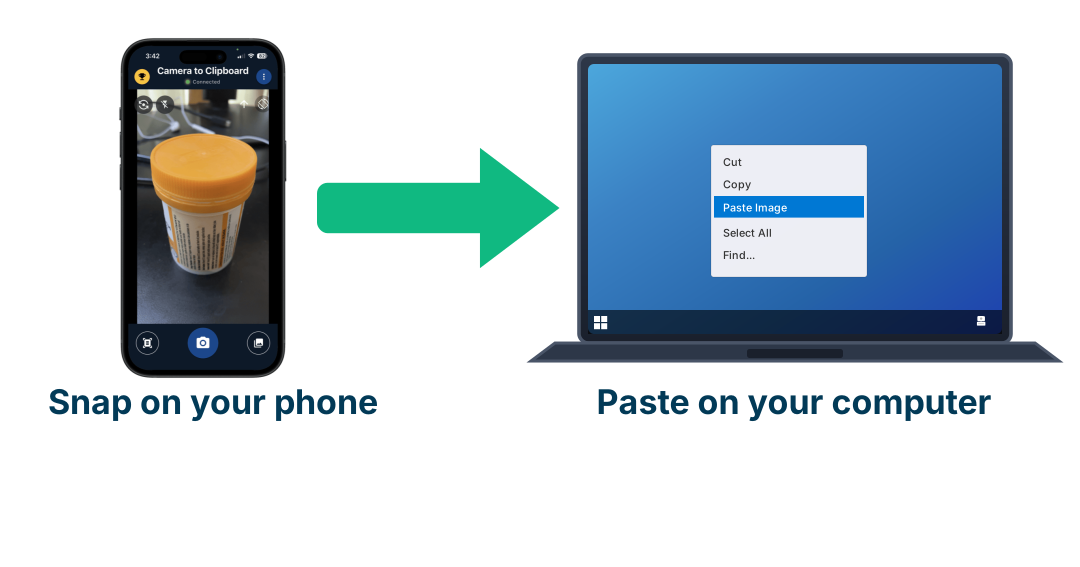
Use Camera to Clipboard to capture a bounce off your phone
Diagnosing this means comparing what you sent with what actually arrived, and the evidence is usually on a phone. Camera to Clipboard, one of my own apps, photographs the phone screen and puts the picture straight onto your computer’s clipboard.
- The photo arrives on the computer clipboard the moment you take it, with no cable and no upload. You pair the phone and the desktop once by scanning a code on screen.
- A bounce message like the 550 error above is the single most useful thing to keep when mail is being refused. It names the reason and the domain.
- It works for anything on a screen or on paper that would otherwise need a scanner.

Stop rewording your emails to dodge spam filters, because trigger word lists are mostly a myth
Every guide carries a list of words said to send you to spam. Litmus, which publishes the most-quoted email data there is, calls those lists a myth.
- Litmus states plainly that spam trigger words are mostly a myth. Their words: it now takes more than words to make it into the inbox.
- Word lists date from the 1970s and 1980s, when filters really did read for language. Spammers learned the lists, so filters stopped relying on them.
- Modern filters weigh your sending domain and its reputation, whether you pass SPF, DKIM and DMARC, and how readers behave. None of those three is a word.
- If your reputation is already damaged, changing a word will not save the email. And if it is healthy, one word will not sink it.
- Time spent hunting for the word free is time not spent on the three DNS records that do decide it.

Never buy or scrape an email list, because one spam trap address can blacklist your whole domain
Spam traps are addresses that exist only to catch senders using email lists they should not have.
- A pristine trap is an address that never belonged to a real person, so reaching one is near proof of a scraped or bought email list.
- A recycled trap is a real address that was abandoned, left to bounce for months, then switched back on and watched. Hitting one means you are not removing dead addresses.
- A single hit is enough for a Spamhaus listing, and you do not have to be a mass sender.
- Anyone who has not opened or clicked in six to twelve months is a candidate for a recycled trap. Ask them once whether they still want your email, then remove the ones who never answer.

Send cold email from a separate lookalike domain, never from the domain your business runs on
Buy separate domains for outreach and keep the address your business runs on out of it.
- Register near-copies of your company domain and send only from those. Something like companyhq.com or company.co.
- Put 2 to 3 mailboxes on each domain, which works out at about 60 to 90 emails a day per domain. Sending 500 a day needs seven to nine domains.
- A burned domain then costs you a domain, not your company's real email. A blacklisting on your main domain stops your invoices and your replies to customers too.
- Warm a new domain for 2 to 4 weeks before sending normally. Week one is 5 to 10 emails a day.

Do not expect buying a new sending domain to undo a blacklisting you already earned
Buying domains protects your real address from the start. It does not repair anything after the fact.
- A brand new domain has no history, and filters treat no history as a reason for suspicion. New domains get more spam foldering and more rejection in their first weeks.
- Gmail is not linking your new domain to your old one, so the ban itself does not follow you. What follows you is the email list. Fix that and it stops. Reputation is often judged by address range though, so identical setups on one platform are less separate than they look.
- The web address inside your emails keeps its own reputation whatever you send from. Spamhaus lists domains found in the body of spam, judged separately from the sender.
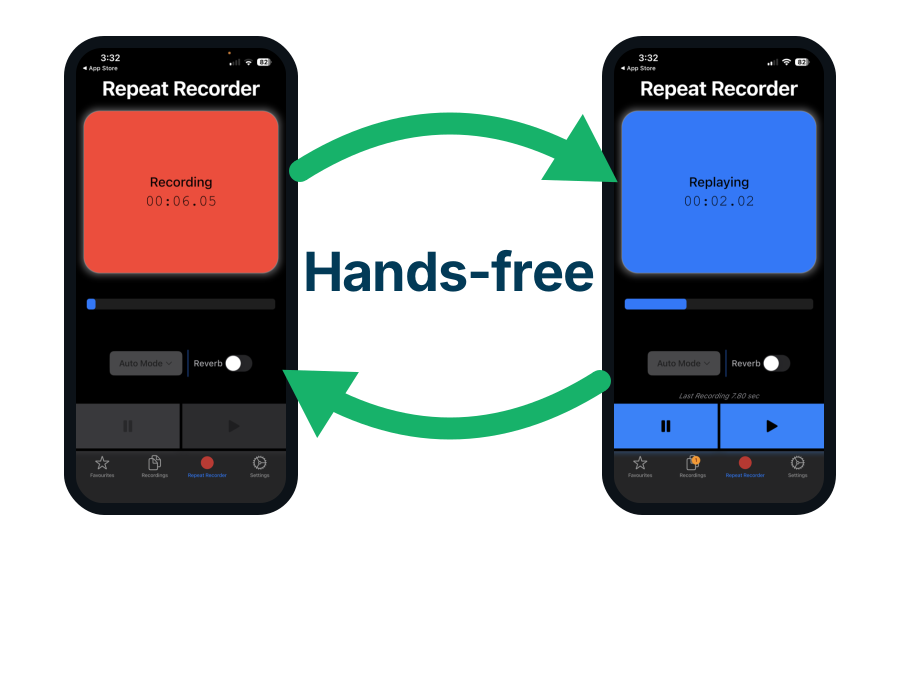
Use Repeat Recorder to practise phoning them instead of emailing
Sometimes the answer is that this person is not reachable by email at all, and the next attempt has to be a phone call. Repeat Recorder, another of my own apps, plays your own voice back to you a second after you stop, so you hear how you sound before they do.
- Repeat Recorder plays your recording back about a second after you stop speaking.
- Automatic mode starts when you speak and replays when you stop, without you touching the screen. That is what makes it usable while driving or walking.
- You can save the takes worth keeping into folders you name yourself and loop any of them.

Send 20 to 30 cold emails per mailbox per day, and raise that number by only 10 to 20% a week
Volume is the part people get wrong, and it is a rate rather than a total.
- Hold each mailbox to 20 to 30 cold emails a day, and never go past 50. Past about 100 a day from one mailbox the results fall away quickly.
- Grow by adding mailboxes and domains rather than by sending more from one of them. That is the whole reason the setup above uses several domains.
- Start a new account at 10 to 20 a day and add 10 to 20% a week, reaching full volume over 4 to 6 weeks.
- Going from 20 a day to 200 overnight is the most reliable way to be marked as spam. Providers watch the trend, not just today's number, so a steady figure beats a bigger one.
- The 5,000 a day in the official rules is not a target, it is the line where the compulsory requirements begin. It is also counted per provider, so it means 5,000 to Gmail users, not 5,000 in total.

Do not confuse your own email host cutting you off with the reader's provider filing you as spam
Two different failures get mixed up constantly, and only one of them is about spam.
- Google Workspace lets one user send to 2,000 outside recipients a day and Microsoft allows one mailbox 10,000 recipients a day. Both are per mailbox, not per company, and both count a rolling 24 hours.
- Hitting those caps gets you an error or a suspension from your own provider, and has nothing to do with landing in spam. Your mail never leaves. Nobody at the other end has an opinion about it.
- That problem is solved by adding mailboxes and domains, and a reputation problem is not. This is the whole difference between the two, and it is why more mailboxes will not rescue a bad email list.
- Tell them apart by who is refusing you. Your own provider refusing to send is a cap. The reader's provider filing you in spam is reputation, and only the second one is what this page is about.

Watch your spam complaint rate rather than your daily volume, because the rate is what decides spam
Volume is not the lever people think it is. Reputation is built from rates.
- Each provider scores your domain on complaints, bounces, spam trap hits and whether you pass the three records. Those are rates and pass or fail marks, not daily totals.
- A 0.30% complaint rate is 0.30% whether you sent 30 emails or 3,000, so sending less does not fix a bad email list. It only slows down how quickly you are found out, which feels like it is working right up until it is not.
- Volume changes your reputation in two ways only. Raising it suddenly is itself a warning sign, and the more mail a provider receives from you the faster it makes up its mind, in whichever direction your rates point.
- Each provider judges only the mail it received from you, so an email list spread across several providers builds your standing at each one more slowly. Send 90 a day split across Gmail, Outlook and Yahoo and Gmail has seen only 30, so it learns who you are at a third of the speed.
- Keep a domain to about 60 to 90 a day so that a mistake stays small while you find out whether the email list is any good. The figure is a safety margin, not the thing that keeps you out of spam.

Clean your email list before sending, because bounces above 2% of sends make the list look bought
A hard bounce is an address that does not exist. The share of them is read as a statement about where your email list came from.
- The average hard bounce rate across industries is under 1%.
- Consistently above 2% damages how mail providers score you.
- Above 5% you look like somebody sending to a scraped or purchased email list.
- Checking addresses before you send is the only thing that fixes this, and it costs a fraction of a cent each. Nothing you write can offset it.

Do not judge whether you are landing in spam by your open rate, Apple's Mail app breaks it
The obvious way to check whether mail is arriving is to watch the open rate. That stopped working in September 2021.
- Mail Privacy Protection is a setting in Apple's Mail app, not something tied to an icloud.com address. Anyone reading their Gmail or their work email in the Mail app on an iPhone or a Mac is covered by it. Their address is still gmail.com; the app they read it in is Apple's.
- It fetches the tracking image the moment the email arrives, whether anyone looks or not. The sender records an open that never happened.
- Apple's Mail app rendered 62.26% of all recorded opens in July 2026, measured by Litmus across more than a billion opens. That figure counts which app people read in, not who hosts their mailbox, which is why it is so much larger than the number of people on icloud.com.
- Litmus states in that same report that opens from those users are not reliable opens.
- So an open rate that looks healthy can sit on top of a serious delivery problem. Use clicks, replies and Postmaster Tools instead, none of which a machine fakes for you.

Send yourself a test email at Gmail, Outlook, Yahoo and Apple to see which folder it lands in
Every one of these is free and takes minutes.
- Send the same email to your own accounts at Gmail, Outlook, Yahoo and Apple, then look at which folder it lands in. It is the only direct answer, and it costs nothing.
- Open Google Postmaster Tools for the Gmail half. It shows your spam rate, whether SPF, DKIM and DMARC are passing, and your delivery errors.
- Open Microsoft SNDS for the Outlook half. It shows complaint rates and spam trap hits for your sending addresses.
- Treat a sudden drop in replies with nothing else changed as a delivery problem, not a writing one. Changing the words is the wrong response to it.
- Search your bounces for 550 5.7.515. That is Microsoft refusing you outright rather than filtering you.
- Look your domain up on Spamhaus. A listing there explains every other symptom you are seeing.
Use Camera to Clipboard to keep the folder your test email landed in
The test above only tells you something if you record what you saw, and the Apple half of it has to be checked on an actual iPhone. Camera to Clipboard, one of my own apps, photographs the phone screen and puts the picture straight onto your computer's clipboard.
- A photo of the phone showing which folder the test landed in is the only proof you will have later. The folder is not recorded anywhere else, and your sending tool will insist it was delivered.
- You pair the phone and the desktop once by scanning a code on screen, and after that it is one tap to shoot and one paste to place. No cable and no uploading it to yourself.
- Testing again after a change is worth nothing unless you can compare it with what you saw before. Two pasted screenshots side by side answer that in seconds.
Conclusion: how to stop your emails going to spam
In order. The first three decide whether the mail is accepted at all.
- Add SPF, DKIM and DMARC to your domain. All three big providers now require them.
- Make your From address match the domain that passed. That is where most setups fail.
- Keep spam complaints under 0.10% and never reach 0.30%. That is Google's published line.
- Verify addresses before sending. Hard bounces over 2% mark your email list as bought.
- Remove anyone silent for six to twelve months. Old addresses become spam traps.
- Never buy or scrape an email list. One pristine trap can blacklist your domain.
- Send cold email from a separate lookalike domain. Never risk the address your business runs on.
- Warm a new domain for two to four weeks first. A fresh domain starts with no reputation at all.
- Watch Google Postmaster Tools. It is free and it is the number that blocks you.
- Check bounce codes for 550 5.7.515. That is Microsoft refusing, not filtering.
- Stop rewording to dodge spam filters. Trigger word lists are mostly a myth.
- Hold each mailbox to 20 to 30 cold emails a day, and each domain to 60 to 90. Grow by adding domains.
- Never jump your daily volume, raise it 10 to 20% a week. A sudden jump is the clearest sign of a spammer there is.
- Your provider's 2,000 a day cap is not a safe figure. It is 60 times the safe one.
- Check Gmail and Microsoft separately. Neither one tells you what the other thinks.
- Send yourself a test at each provider. It is the only direct way to see the folder.
- Do not trust your open rate. Apple fires most opens automatically.