A Google App campaign is the ad type Google sells for getting people to install an app. Google App campaigns work better for Android apps than for iPhone apps. Google's new AI search changes little for Google App campaigns.
Google App campaigns in short: Google brings more paid Android installs than any other ad network, but on iPhone it ranks only third or fourth, behind Apple's own ads. A Google App campaign works when you set a daily budget of at least 10 times your target price per in-app action, pay Google for an action inside the app rather than the install, and wait 2 to 3 weeks of steady spending before judging the campaign.

Google picks where your App campaign ad appears, across Google Play, Search and YouTube
In a Google App campaign, you give Google headlines, images, videos and a target price, and Google decides where the ads appear and who sees them.
- A Google App campaign shows your ad on Google Search, Google Play, YouTube, Discover and other apps and websites that carry Google ads.
- You cannot choose keywords or pick where a Google App campaign ad appears.
- Google combines the headlines, descriptions, images and videos you supply into ads that fit each place a Google App campaign ad appears.
- Google sells three kinds of App campaign: one for new installs, one for bringing back people who already have the app, and one that gets people to pre-register for an Android app before it launches.

Pay Google for an in-app action, not the install, because paying per install buys many bot installs
A Google App campaign looks for the cheapest way to get whatever you pay for, and the cheapest installs are often not real people.
- Nick Abe, who makes the Android puzzle game Dayzle, paid Google about CA$220 in September 2026 for 56 installs.
- Of the 56 installs that Nick Abe, maker of the puzzle game Dayzle, paid Google for, 33 behaved like bots, 7 came from countries he never chose and only 13 were real people.
- To stop paying for bot installs, Nick Abe, maker of Dayzle, switched the result his Google App campaign paid for from a player's first app opening to a puzzle won.
- Ashley Black, who led app ad sales at Google for six years, says that when a campaign brings cheap installs from people who quickly stop using the app, the usual cause is paying Google per install.
- For one ad-funded app, paying Google for users who opened the app again the next day roughly doubled the share of new users still using the app a week later, compared with paying per install.
- Paying Google for users who came back the next day cost that ad-funded app about $1 more per install than paying per install.

Pick an in-app action that about 30 new users complete each day, within 24 hours of installing
A Google App campaign learns what kind of person does the in-app action you pay for, so it needs plenty of those actions soon after each install.
- Ashley Black, who led app ad sales at Google for six years, says to pay for an in-app action that about 30 new users complete each day.
- The in-app action a Google App campaign pays for should happen within 24 hours of the install, and no later than 72 hours.
- The in-app action you pay Google for should be one that people who later pay you tend to do, such as starting a free trial or making a first purchase.
- Pay for one in-app action per Google App campaign, because with two you cannot tell which one is costing too much.
| What you tell Google to get | Data Google needs before the campaign starts working | Quality of the users it finds |
|---|---|---|
| Installs at a target price | Little, installs only | Lowest, includes bots |
| An in-app action at a target price | Medium, at least 10 of the in-app action a day, ideally 30 | Higher, people who reach the action |
| Revenue at a target return | High, at least 10 purchases a day with their values | Highest, people who spend money |
| Android pre-registrations before launch | Little, pre-registrations only | Low, in one case fewer than 1 in 10 people who pre-registered installed |

Budget at least 10 times your target price per in-app action a day, or few people will see your ads
Google advises setting an App campaign's daily budget as a multiple of what you will pay for one install or one in-app action.
- Google says to set a Google App campaign's daily budget at at least 50 times your target price per install, or 10 times your target price per in-app action.
- A target price of $1 per install needs a daily budget of at least $50, about $1,500 a month.
- A target price of $3 per install needs a daily budget of at least $150, about $4,500 a month.
- A target price of $5 per account sign-up needs a daily budget of at least $50, about $1,500 a month.
- A target price of $20 per first purchase needs a daily budget of at least $200, about $6,000 a month.
- Ashley Black, who led app ad sales at Google for six years, says to test a Google App campaign in the United States with about $200 to $300 a day for an Android app and $500 a day for an iPhone app.
- Google can show a new App campaign with a small daily budget to almost nobody.
- For example, one developer in an Android forum said Google showed a new Google Ads campaign so rarely that it was not charged a cent in two weeks.
- Testing a Google App campaign in one small country instead of the United States needs a smaller budget.
- Always set a target price per install or in-app action, because Google charges far more per install without one, Ashley Black, a former head of app ad sales at Google says.

Leave a new App campaign alone until 100 installs or in-app actions, then change its budget slowly
A Google App campaign starts learning again after every big change, and Google says prices per install can run higher while it learns.
- Google says to make no big change to an App campaign before it records 100 installs or in-app actions.
- Google says to change an App campaign's bid or budget by no more than 20% at a time, and no more often than every 2 to 3 days.
- Google says an App campaign takes at least a week to learn on Android and up to 6 weeks on iPhone.
- Shamanth Rao, who runs the app marketing agency RocketShip HQ, waits 2 to 3 weeks of steady spending before judging whether a Google App campaign works.
- Avoid running two App campaigns for the same app, in-app action and country, because they can compete for the same users.

Fill every headline, image and video slot, because each empty slot shuts your ad out of some places
Google can only show an App campaign ad in a place where you supplied a headline, image or video in the shape that place needs.
- Each ad group in a Google App campaign holds up to 5 headlines, 5 descriptions, 20 images and 20 videos.
- Google says portrait videos lead to an install or in-app action 60% more often than landscape videos in App campaigns.
- Ashley Black, a former head of app ad sales at Google, wants a 15 second and a 30 second App campaign video in both portrait and landscape, and at the very least both lengths in portrait.
- Write each App campaign headline in the words a person with the problem your app solves would search for, such as "storm tracker" rather than "top weather app".
- Make sure your app icon explains the app on its own, because many Google App campaign ads show only the icon, the app's name and an install button.
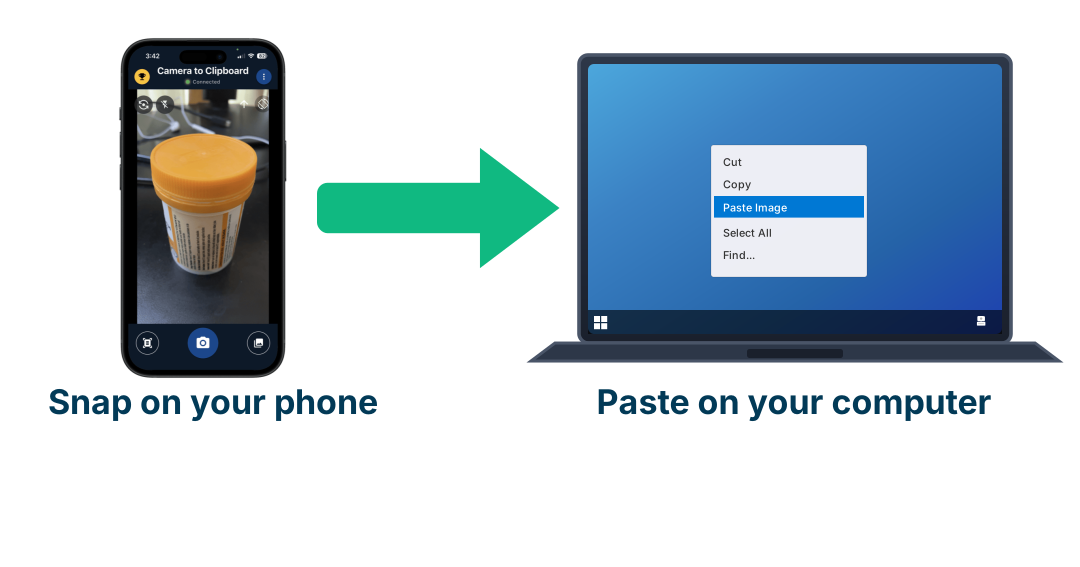
Use Camera to Clipboard to move app screenshots from your phone into Google Ads on your computer
A Google App campaign takes up to 20 images, and an app's best screenshots are on the phone. Camera to Clipboard, one of my own apps, moves them to the computer where Google Ads is set up.
- A photo taken in Camera to Clipboard lands on your computer's clipboard, ready to paste into Google Ads.
- Camera to Clipboard sends screenshots from your phone's photo library to your computer, one at a time or several at once.
- A photo of a hand holding the phone with your app open is a quick extra image for a Google App campaign.

Ignore Google's ratings of your App campaign ads, and check which apps and sites your budget goes to
Google rates each App campaign headline, image and video only against the others in the same campaign, not on what each install costs you.
- Google's Low, Good and Best ratings only compare a headline, image or video with the others of its kind in the same App campaign.
- In a campaign run by Ashley Black, a former head of app ad sales at Google, one headline, image or video that Google rated Low had the lowest price per install in that campaign.
- In one App campaign run by Ashley Black, a former head of app ad sales at Google, ads on Google Search brought in-app actions far cheaper than ads in other apps and websites, even though each Search view cost more.
- Google's placement report lists the apps your App campaign ad ran in, so you can block the apps that bring no paying users.
- Google shows App campaign ads to people who already have your app unless you exclude them yourself.
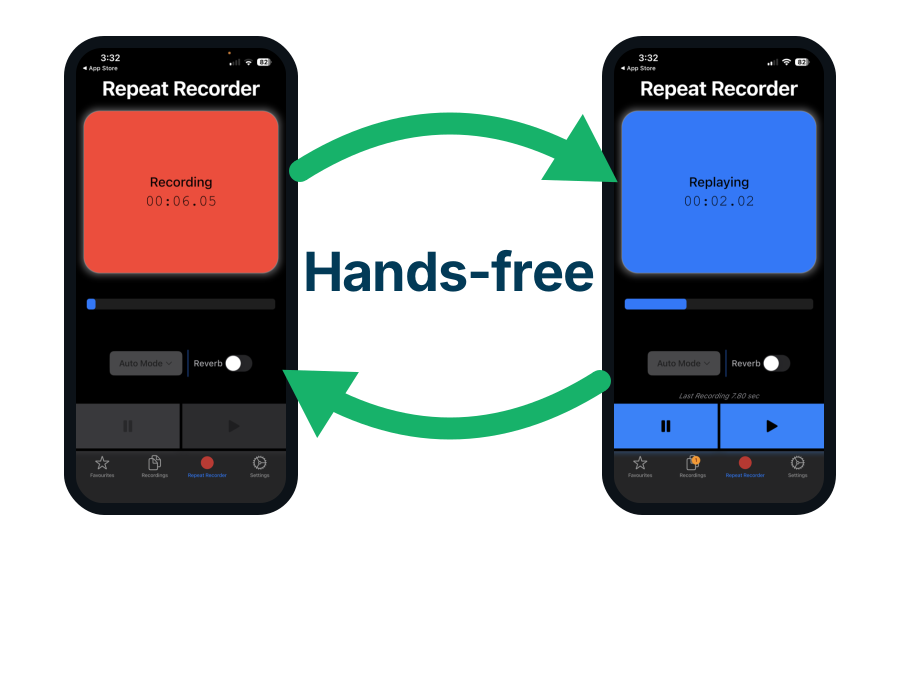
Use Repeat Recorder to rehearse the spoken first line of your App campaign video
A 15 second video ad has time for about one spoken sentence about your app. Repeat Recorder, another of my own apps, lets you hear that sentence back until it sounds right.
- Repeat Recorder plays each take back automatically and then starts recording again, so you can try ten versions of your video's first line without touching the phone.
- Repeat Recorder lets you put takes worth keeping into favourites and into folders you name yourself.
- Ashley Black, a former head of app ad sales at Google, recommends a 15 second and a 30 second version of each App campaign video, so the same first line has to work in both.

Google App campaigns bring more paid Android installs than any other ad network
On Android, Google owns the app store where people look for apps.
- AppsFlyer, a company that measures where app installs come from, ranked Google first among ad networks for paid Android installs, for both games and other apps, in December 2025.
- Only Google can put an app ad in Google Play search results, where people are already looking for an app.
- Google Play records exactly which ad led to each Android install, so Google knows which of your App campaign ads worked.
- On Android, YouTube video carries only about 30% of App campaign ad traffic, because Google Play carries much of the rest, Ashley Black, a former head of app ad sales at Google says.

On iPhone, Google App campaigns rank only third or fourth, behind Apple's own ads
An iPhone app is not on Google Play, and most iPhone users block apps from tracking them, so Google sees less about who installs an iPhone app.
- AppsFlyer, a company that measures where app installs come from, ranked Google third among ad networks for paid iPhone game installs and fourth for other iPhone apps in December 2025.
- Apple Ads, Apple's own ads in App Store search, ranked first for both iPhone games and other iPhone apps in AppsFlyer's December 2025 rankings of ad networks.
- On iPhone, YouTube video carries about 60% of App campaign ad traffic, because an iPhone app is not on Google Play.
- 38% of iPhone users shown Apple's tracking request allowed tracking in early 2026, up from 35% a year earlier, according to Adjust, an app measurement company.
- Google estimates most of the purchases it reports for iPhone App campaigns.
- For example, Ashley Black, a former head of app ad sales at Google, says Google's dashboard can report 1,000 iPhone purchases where independent tracking shows 10.

On all ad networks, an iPhone install costs twice an Android one, but iPhone users often spend more
What you pay in ads to gain one paying user matters more than what you pay for one install.
- The Social Outline, a marketing blog, puts the average ad price per install at $2.24 on iPhone and $1.12 on Android, across all ad networks.
- No public source splits Google's own price per install between iPhone and Android.
- In early 2022, one wellness app advertising on Google and social media paid 85% less in ads per free trial on iPhone than on Android.
- The wellness app that advertised on Google and social media in early 2022 also earned 36% more per user on iPhone than on Android.
- Google suggests bidding about 50% more per install on iPhone than on Android.
| Google App campaign for | Google's rank among ad networks for paid installs | Ads on Google Play | Knowing which ad led to an install | Average price per install, all ad networks | Suggested US test budget per day | Time for Google to learn |
|---|---|---|---|---|---|---|
| Android app | 1st, for games and other apps | Yes, in Play search and app pages | Exact, Google Play reports it | $1.12 | $200 to $300 | At least a week |
| iPhone app | 3rd for games, 4th for other apps | No, an iPhone app is not on Google Play | Mostly estimated, 38% of users shown Apple's request allow tracking | $2.24 | $500 | Up to 6 weeks |

For an iPhone app on a small budget, start with Apple Ads and add Google App campaigns later
Apple's own ads show in App Store search, where Google App campaign ads cannot appear.
- AppMedia, an Australian app marketing agency, advises an iPhone-focused app to start with Apple Ads.
- An Apple Ads install cost a median $1.80 worldwide and $4.06 in the United States in 2025, according to AppTweak, an app store marketing company.
- Matt Corey, who makes the iPhone budgeting app Bills to Budget, got almost no impressions and zero clicks from Google Ads in 2025.
- Apple Ads cost Matt Corey, maker of the iPhone budgeting app Bills to Budget, $4.36 per install.
- Reddit ads aimed at iPhone users cost Matt Corey, maker of Bills to Budget, $0.82 per install.
- Google says it can measure more iPhone installs and in-app actions once you add Firebase, Google's free app toolkit, and show Apple's pop-up that asks users to allow tracking.

Google's AI search answers cut web clicks, but App campaign ads also run on Google Play and YouTube
Google's AI summaries at the top of search results reduce clicks on the results and ads below them.
- In a Pew Research Center study, people clicked a normal Google result on 8% of Google searches that showed an AI summary, against 15% of searches without one.
- On question searches with an AI summary, the share of people clicking an ad fell from 19.7% to 6.3% between June 2024 and September 2025, Seer Interactive, a marketing agency, found.
- Google allows only Search, Shopping and Performance Max ads inside its AI Overviews and AI Mode answers, so App campaign ads cannot appear there.
- Google's Gemini chatbot app had no ads in December 2025, and no ads had appeared there by October 2026.
- App campaign ads also run on YouTube and in other apps, which have no AI search summaries above them.

Google Play now puts AI-written results above unpaid app listings in some searches
For app makers, Google Play's new AI features matter more than Google's AI search answers.
- Google Play's Ask Play feature answers questions about an app and, since October 2026, compares two apps side by side.
- In some Google Play searches, AI-written results sit below the ads and above the unpaid app listings, AppTweak, an app store marketing company, reports.
- Ads in Google Play search still sit above Google Play's new AI-written results, so a paid ad now sits further above the unpaid app listings.
- Google is adding Google Play app suggestions to conversations in its Gemini chatbot.

Google's AI now makes more of the App campaign for you, from images to the code that opens your app
Since 2024, Google's AI tools build parts of each App campaign ad that advertisers used to make themselves.
- Since July 2024, Google's AI can generate images and other ad material for an App campaign.
- Since August 2025, Google's AI can reshape one of your videos into the portrait, landscape or square version you did not make.
- Since August 2025, every iPhone App campaign can aim for in-app revenue instead of installs.
- In 2026 Google added an AI agent that writes the code for ad links that open a page inside your app.

Conclusion: how Google App install campaigns work and how to make one succeed, in one glance
These Google App campaign findings are listed from the biggest effect on results to the smallest.
- Google is the top source of paid installs on Android, and only third or fourth on iPhone.
- Pay Google for an in-app action, not the install, or many of the installs you pay for will be bots.
- Pay for an in-app action that about 30 new users complete each day, within 24 hours of installing.
- Set a Google App campaign's daily budget to at least 10 times your target price per in-app action.
- Make no big change to a Google App campaign before 100 installs or in-app actions.
- Change a Google App campaign's budget by under 20% at a time.
- Fill every headline, image and video slot in a Google App campaign, starting with portrait videos.
- For an iPhone-only app on a small budget, start with Apple Ads.
- Google's AI search answers affect only the part of an App campaign that runs on Google Search.