
A local business lives on the star rating and the review count that sit next to its name in Google Search and Google Maps, and almost nobody leaves a review unless somebody asks them to. This page covers both halves of the job: the words that get a customer to say yes, and the link that opens the Google review box for them in one tap. Every rule quoted here comes from what Google and the United States regulator publish, so it is clear which asking methods are safe and which ones get your reviews deleted.
The short version. Asking is the whole game, because 83% of the people who get asked go on to leave a review. Google writes both the link and the QR code for you inside your own Business Profile. Three common habits are banned by name: asking only the customers you know are happy, offering a discount for a review, and standing over a customer while they type one in your shop.

Ask every customer, because 83% of the people who get asked go on to leave a review
The gap between a business with 8 reviews and one with 80 is almost never the quality of the work. It is whether anybody asked.
- BrightLocal's 2026 Local Consumer Review Survey put these questions to a representative panel of 1,002 adults in the United States.
- 78% of consumers were asked to write a review for a business at some point in the last 12 months.
- 83% of the people who were asked for a review went on to write one.
- 65% of all consumers wrote a review after being asked, which is the 78% who were asked multiplied by the 83% of them who followed through.
- Only 6% of consumers say they would never write a review, so 94% of the people you serve are open to it.
- 28% of consumers say they will always write a review when asked, up from 16% in 2025.
Nothing else on this page moves your review count as much as simply asking does.

Copy your review link out of your Business Profile, because Google writes it for you
There is no need to build anything or pay a tool for this. Google generates a permanent link to your own review box and hands it over.
- Google's own help page tells business owners to ask customers to visit a Google link or scan a QR code, so this is the method Google recommends rather than a workaround.
- The link sits inside your Business Profile under "Read Reviews" and then "Get more reviews".
- Selecting "Copy" puts the whole link on your clipboard, ready to paste into a text message or an email.
- The same link works forever, so you set it up once and reuse it for every customer from then on.
- Google's own tip on that page says you can also send review requests through email, a WhatsApp message or a Facebook post.

Expect a signed-out customer to land on a Google login screen instead of your review box
This is the step almost no business owner sees, because the owner is always signed in to Google when they test their own link.
- Google's help page states that customers must be signed into a Google Account to leave a review.
- Opening a Google review link with no Google session running returns a redirect, and two hops later the customer is sitting on the Google sign-in page.
- The customer never sees your business name, your stars or the review box until they have finished signing in.
- Somebody using their own phone is usually signed in already, so the wall mostly catches customers on a shared computer, a work machine or a private browsing window.
- Test your own review link in a private browsing window, because that is the only way to see what a signed-out customer sees.

Tell customers a Google Account works with any email address, not only a Gmail one
A large share of the people who abandon a review request do it because they think they need something they do not have.
- Google's help page states that a customer can set up a Google Account with a non-Gmail email address.
- A customer who believes a Gmail address is required will not review you, and will not tell you that was the reason.
- One sentence in your request removes that belief, saying that any email address works and no Gmail address is needed.
- Creating the account happens on Google's own sign-up screen, so there is nothing for you to build or host.
- A customer who already uses an Android phone, YouTube or Google Maps already has the account and does not need to make one.

Create your QR code on a computer, because Google will not generate one on a phone
A QR code is a square barcode a phone camera reads, and pointing a camera at one opens the link inside it. Google generates yours, with one restriction that catches owners who run everything from a phone.
- Google states that review QR codes can only be generated on a computer browser and not on mobile devices.
- The QR code appears in the same "Get more reviews" panel that holds the copyable link.
- Saving the QR code image is a right-click and then "Save image as", because Google puts no download button on it.
- An owner who runs the whole business from a phone has to borrow a computer once, and only once, to get this file.
- The saved QR code image is the file you send to a printer for counter cards, window stickers and table signs.

Put your review link on receipts, in thank you emails, at the end of chats and on a printed QR code
Google names four places to put the link on the same help page that generates it, so these four are not guesses.
- Google says to include the review link on your receipts, which reaches every paying customer with no extra work.
- Google says to include the review link in thank you emails, which is the message a customer is most likely to open.
- Google says to add the review link at the end of a chat interaction, while the customer is still in the conversation.
- Google says to print the QR code and display it in your store, which needs no phone number or email address from the customer at all.
- Google's tip adds email, WhatsApp messages and Facebook posts as further ways to send the same request.

Compare every place you can put your Google review link
The channels differ on two things that matter: how much work it takes you to set up, and how many taps stand between the customer and the review box.
| Where you put the review link | Work to set it up | Taps for the customer | What it costs you | Worth doing |
|---|---|---|---|---|
| Text message sent after the job | Medium, you need the mobile number and something to send from | One tap straight from the message | A few cents per message | Highest, it lands on the device already signed in to Google |
| Thank you email after the job | Medium, you need the email address and a mail tool | One tap on the link in the email | Free at small volumes | High, and Google names it as a recommended place |
| Printed QR card handed to the customer | Medium, the QR code has to be generated on a computer and printed | Two steps, open the camera then tap the banner | Printing cost per card | High, it needs no phone number or email address from anyone |
| QR sticker on the counter or the table | Low, print it once and stick it down | Two steps, open the camera then tap the banner | Almost nothing after the first print | Medium, it only reaches customers who are looking at it |
| Link printed in the receipt footer | High, the till or invoice template has to be changed | Many steps, the customer has to type the address by hand | Free once the template is changed | Medium, Google recommends it but a typed address loses most people |
| Link at the end of a live chat | Low, paste it as the closing message | One tap inside the chat window | Free | Medium, it only reaches the customers who used chat |
| Link in your email signature | Low, paste it once into the signature settings | One tap on the link | Free | Low, nobody reads a signature and it is not aimed at anyone |
| Facebook post carrying the link | Low, one post | One tap on the link | Free | Low, it reaches followers rather than the customers you just served |
| Tap card that opens the link by touch | High, the cards have to be bought and programmed | One tap of the phone against the card | Several dollars per card | Medium, it is the fewest taps but only some phones respond |

Build your review link by hand from your Place ID when the profile panel is not available
The panel inside your Business Profile is the easy route. When you cannot reach it, Google publishes the parts to build the same link yourself.
- Every business on Google Maps has a Place ID, which is the unique code Google uses to identify that one place.
- Google publishes a free Place ID finder in its Maps Platform documentation, where you search for your business by name and it returns the code.
- Adding that code to the end of "https://search.google.com/local/writereview?placeid=" produces a working review link.
- Google recommends refreshing a stored Place ID that is more than 12 months old, because an old code can stop working.
- The link Google copies out of your Business Profile does exactly the same job, so build one by hand only when you have to.
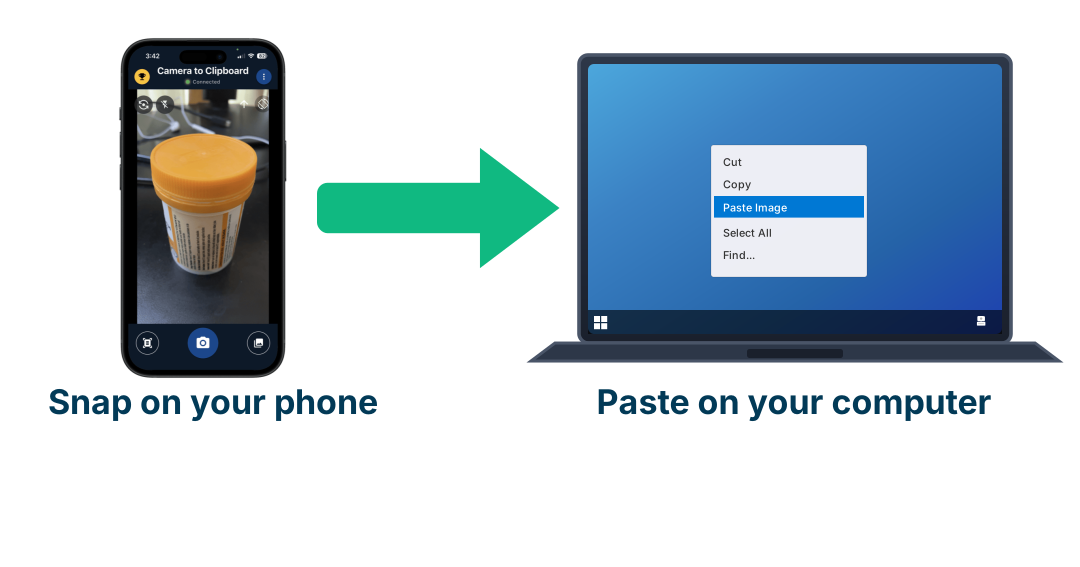
Use Camera to Clipboard to put job photos in your review request
A review request that shows the finished work gets read, because the customer recognises the job before they read a word. The photo is on your phone and the message is on your computer, and Camera to Clipboard, one of my own apps, is what moves it across.
- Photographing the finished job on your phone puts the picture straight onto your computer's clipboard, so writing the thank you email is one paste rather than an upload.
- Google names thank you emails as one of the four places to put your review link, and a photo of the work is what makes that email worth opening.
- The photo never leaves your own devices through a chat app or your own inbox, which is what usually turns a two second job into a five minute one.

Ask in person and send the link afterwards, because Google bans pressing a customer on your premises
The most natural moment to ask is while the customer is standing in front of you, and Google has a written rule about exactly that moment.
- Google's policy states that merchants should not require or pressure users to leave ratings or write reviews while on the premises.
- Handing a customer your own phone and waiting while they type is the exact behaviour Google's on-premises rule describes.
- A tablet on the counter left open on your review page puts the same pressure on a customer as handing over a phone.
- Mentioning the review in person and sending the link afterwards is allowed, because the customer chooses their own moment.
- A printed QR code the customer takes away is also fine, because nobody is standing over them while they scan it.

Ask everyone, because Google bans selectively soliciting positive reviews from customers
Filtering your customers before you send the link is the most common way a well-run business breaks Google's rules without meaning to.
- Google's policy states that merchants may not discourage or prohibit negative reviews, or selectively solicit positive reviews from customers.
- Sending the Google review link only to the customers who already told you they were pleased is what "selectively solicit positive reviews" means.
- A survey that asks how happy somebody is and shows the Google link only to the high scores is the same thing with one extra screen in front of it.
- Google catches this by the shape of the result rather than by watching you ask, because a profile collecting only 5-star reviews and never a 4 is a pattern its systems look for.
- Google's policy also states in plain words what is allowed, which is soliciting content that represents a genuine experience without offering incentives or attempting to influence the rating.
Asking every customer is both the safe version and the version that collects more reviews.

Write a request that is short, names the customer and carries one link
A polite request is not a longer request. The wording below is the difference between a message that gets tapped and one that gets ignored, and two of the losing versions are also against Google's rules.
| What that part of the message does | The version that gets ignored | The version that gets used | What the swap is worth |
|---|---|---|---|
| Saying who is writing | Dear valued customer, we hope you enjoyed your recent experience with our team | Hi Sarah, it is Tom who fixed your hot water today | Large, a named sender reads as a person rather than a mailing list |
| Making the actual request | Please leave us a 5 star review! | If you have a minute, would you leave us a Google review? | Large, asking for a specific rating is against Google's policy |
| Getting the customer to the review box | Just search for us on Google and leave a review | The review link itself, on its own line, with nothing after it | Large, a search means the customer has to find you before they can start |
| Saying why it matters | Reviews are really important for our business | Reviews are how other people in Fremantle find a plumber they can trust | Medium, a reason about the reader beats a reason about you |
| Setting the length | Three paragraphs explaining the company and the request | Two sentences and the link | Large, a long message on a phone is scrolled past rather than read |
| Giving the customer a way out | Looking forward to those 5 stars! | No problem at all if you would rather not | Medium, an easy refusal is what makes the request read as polite |
| Handling a customer who was unhappy | Sending them nothing, and sending the link to the happy ones only | Sending the same message to everybody, with your phone number above the link | Large, filtering by mood is banned and a phone number fixes more than it costs |

Never offer a discount or a free item for a review, because Google restricts your whole profile
This is the most tempting shortcut on the list, it is extremely common, and the punishment falls on your whole profile rather than on the paid review.
- Google's policy bans offering incentives such as payment, discounts, free goods or services in exchange for posting any review.
- The ban covers posting a review, changing a review, and removing a negative review, so a refund offered for a deletion is caught by the same line.
- Google's restrictions page says a caught profile can be blocked from receiving any new reviews for a set period.
- Google can also unpublish the reviews you already hold for a set period, which takes your honest reviews down with the paid ones.
- Google can display a warning on your profile telling customers that fake reviews were removed, in the place where those customers are deciding whether to call you.
- BrightLocal found 59% of consumers were offered a reward for a review in the last year, so this is normal behaviour and still banned.
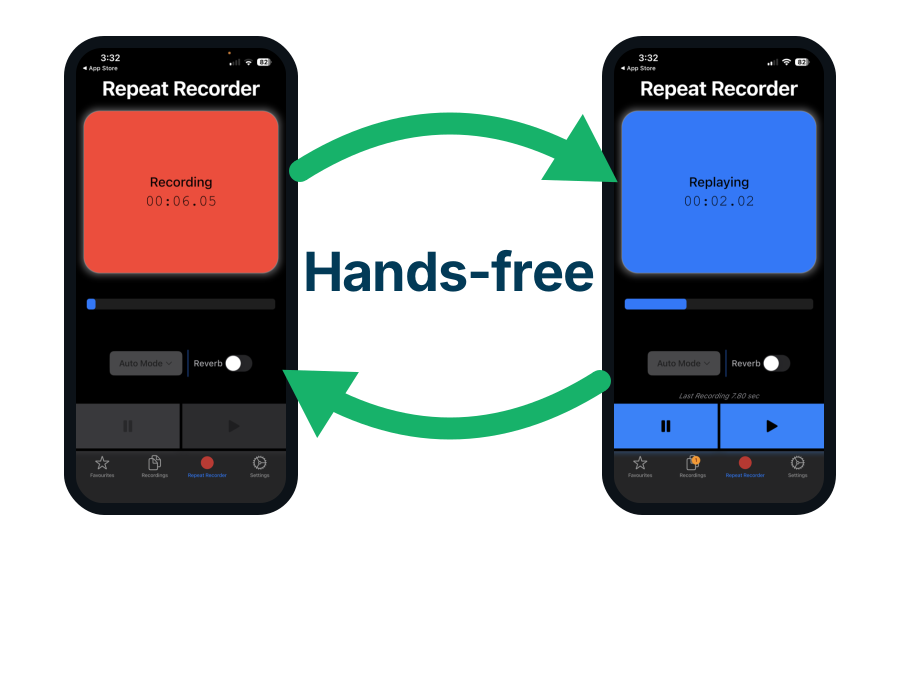
Use Repeat Recorder to hear how your review request actually sounds
Politeness is carried by tone rather than by words, and nobody can hear their own tone while they are speaking. Repeat Recorder, another of my own apps, records the sentence and plays it straight back so you can listen to the version your customer hears.
- The app records and replays in one continuous loop, so you can say the request, hear it, and say it again without touching the phone between attempts.
- Hearing your own request played back is the quickest way to catch the pushy version, which is the one that ends on "looking forward to those 5 stars".
- Hands-free controls mean every member of staff can rehearse the same request in the van or on the way to a job rather than in a meeting.

Tell your staff to ask every customer, but never to bring back a set number of reviews
This rule looks strange until you see where Google files it, because Google does not list it with buying reviews. It lists it as a way of pressuring customers.
- Telling your staff to ask every customer for an honest review is allowed, and Google says so in its own short list of what a business may do.
- Google's wording for what is allowed is soliciting a genuine experience without offering incentives or attempting to influence the rating or the contents of the review.
- Telling your staff to bring back ten reviews this month is banned, and Google lists a business asking staff to collect a certain number of reviews in those words.
- Google groups that ban with pressuring somebody to write a review while they are still on your premises, which is what a staff member chasing a number ends up doing.
- Paying your staff a bonus for each review they bring in is banned twice over, because a bonus is also an incentive.
- Google cannot see inside your staff meeting, so it watches your profile for unusual volumes or patterns of reviews instead.
- Counting how many customers your staff asked is completely safe, because that counts what your staff did rather than what the customers wrote.

Never tell a customer what to put in their review, not even a staff member's name
Asking a happy customer to "mention Dave" sounds like the kindest thing on this page, and it is one of the few requests Google names outright.
- Google bans a business asking a customer to include any particular words in their review.
- Google names the staff case outright, banning staff from asking for reviews that identify a staff member.
- The words "please mention Dave" are banned however kind the reason for saying them is.
- Asking a customer to include a service name, a suburb name or any search phrase is banned by the same rule.
- A customer who names your technician without being asked is completely fine, because the rule is about what you requested.

Never ask your staff or your family for a review, because Google treats it as a conflict of interest
Every new business gets its first reviews this way, and every one of those reviews is at risk from the day it is posted.
- Google's policy treats a review written by somebody in current or former employment with the business as a conflict of interest, and removes it.
- Google names familial relationships in that same conflict of interest line, alongside contractual and other professional relationships.
- Google removes a conflict of interest review whether or not the reviewer said they work for you, so disclosure does not save it.
- Your first few reviews are the ones that decide your score, so losing them to this rule hurts far more than losing a review later on.
- Asking a friend who genuinely paid you for a job is fine, because they are a real customer rather than somebody connected to the business.

Send a request to every customer, because the ones who review without being asked are more negative
A business that never asks does still collect reviews, and researchers have measured what kind of reviews those are.
- Askalidis, Kim and Malthouse studied review data from four online retailers over several years and split every review into two kinds.
- A self-motivated review is one a customer writes without being asked, and a prompted review comes from an emailed invitation.
- The study found self-motivated reviews were more negative, longer and more helpful than the prompted ones.
- The star ratings of self-motivated reviews fell over time, while the ratings of prompted reviews stayed level.
- The study found email invitations make the reviews more representative, because they bring in a group of verified buyers who would otherwise have written nothing.
Collecting only the reviews that arrive by themselves hands your profile to the customers with the strongest reason to complain.

Expect asking everyone to give you fewer 1-star and fewer 5-star reviews, not more of both
Most owners assume a review request brings in more of the loud opinions at both ends. A field experiment tested that directly and found the opposite.
- Brandes, Godes and Mayzlin ran a large field experiment with an online travel platform to find out what a review request email does to the spread of ratings.
- The older explanations for why ratings cluster at 1 and 5 all predicted that a review request would produce even more extreme reviews.
- Their own explanation was that customers with a middling experience are the ones who give up partway through writing a review.
- The experiment supported that explanation, so the request email reduced the share of extreme reviews rather than raising it.
- A profile holding only 1-star and 5-star reviews is the shape of a business that never asks, and asking is what fills in the middle.

Keep asking every week, because 74% of customers only read reviews from the last three months
A review stops counting for most readers far sooner than a business owner expects it to.
- BrightLocal's 2026 survey found 74% of consumers only read reviews written in the last three months.
- 44% of consumers named a review posted within the last month as one of the things that matters most when they judge a business.
- A review you collect today stops counting for most readers about three months from now, however good it was.
- Asking hard once and then stopping leaves you with a profile where every review is too old to count, whatever number of reviews it holds.
- A steady weekly ask keeps recent reviews at the top of your profile, which is the part a customer reads first.
Use Camera to Clipboard to check your printed review QR code from the shop floor
A printed QR code is the one review request that keeps working every week without anybody remembering to send anything, so it is worth knowing that it scans properly where it sits. Camera to Clipboard, one of my own apps, puts the photo you take on the shop floor straight onto the computer where the artwork lives.
- Photographing the card where it actually sits, then pasting that photo next to the artwork on your computer, shows the size problem the design file hides.
- Google will only generate your review QR code on a computer browser, so the computer is already where this job has to finish.
- The same trick works for a receipt or an invoice, so you can check the printed review link against the template you changed.

Expect a few days for the review to appear and up to two weeks for your score to move
A customer tells you they left the review, you look at your profile, and nothing is there. That is almost always Google rather than the customer.
- Google states that reviews are checked to make sure they comply with its policies, and that this process might take a few days.
- Google states that after somebody leaves a new review it may take up to 2 weeks to get an updated review score.
- Google states that customers on older phones or older software can have trouble leaving a review, and recommends they update the Maps app.
- Google can also temporarily switch off reviews for certain profiles or business categories, which it says is to protect business owners.
- Judging a week of asking on the day the week ends reads a number that has not caught up yet.
Conclusion: how to ask for Google reviews and send a review link
Asking is the whole job, and the link is what stops the asking from being wasted. These are the findings in order of how much each one changes your review count.
- Ask every customer. 83% of the people who get asked go on to leave a review.
- Copy your review link out of your Business Profile. Google writes both the link and the QR code for you.
- Test your link in a private browsing window. A signed-out customer is sent to a Google login screen first.
- Create the QR code on a computer. Google will not generate one on a phone.
- Send the link by text message or email. Both take the customer one tap.
- Ask in person, then send the link. Pressing a customer to review on your premises is banned.
- Keep the message to two sentences and one link. Long requests get scrolled past.
- Never offer a discount or a free item. Google can unpublish every review you hold.
- Tell staff to ask every customer. Never tell them how many reviews to bring back.
- Never tell a customer what words to put in their review. A staff name counts.
- Never ask your staff or your family. Google removes those as a conflict of interest.
- Keep asking every week. 74% of customers only read reviews from the last three months.
- Wait two weeks before judging the result. That is how long Google takes to update your score.